Hello,
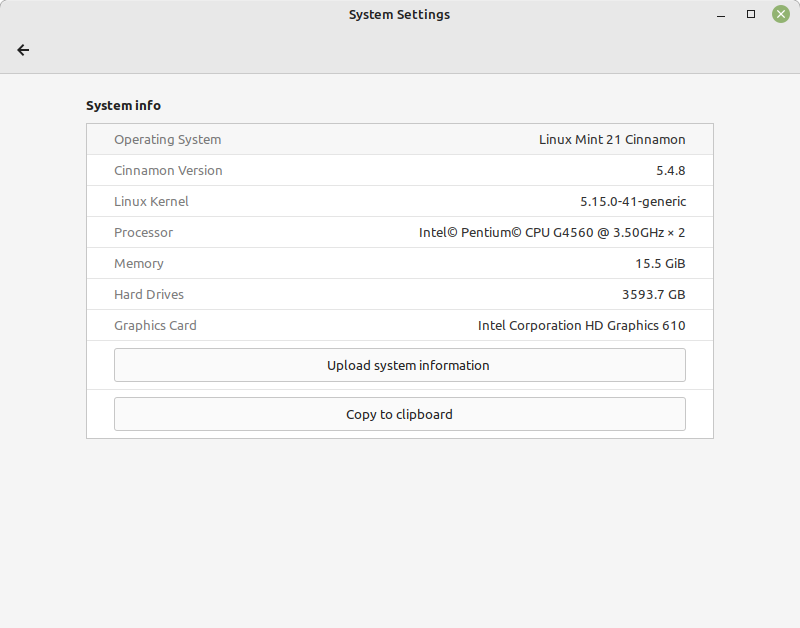
This is all tested from the latest LM 21Cinnamon Live Image (linuxmint-21-iso-cinnamon-64bit.iso)
Issue
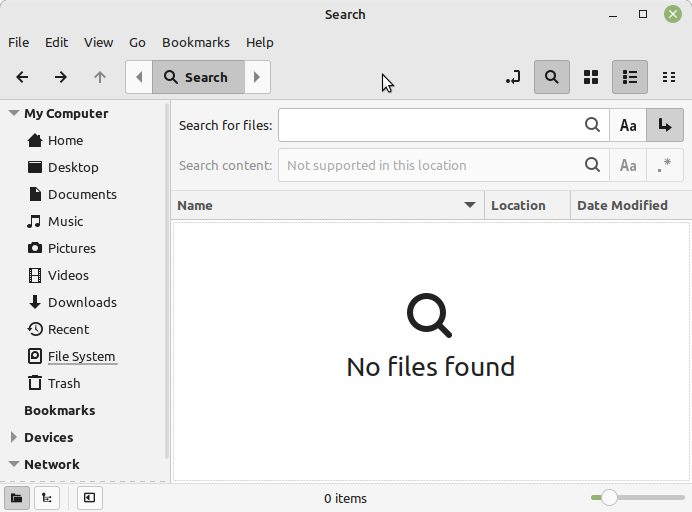
When leaving the Search Mode (for example by right-clicking on a file and pressing "Open containing folder") and returning to it afterwards, one lands in some unexpected, empty area. The previous search results seem to be lost. But there is some kind of weird workaround, that I really would love to see implemented as default behaviour.
Steps to reproduce
Open nemo and start searching for something (it does not matter where or what, but one should get at least one result)
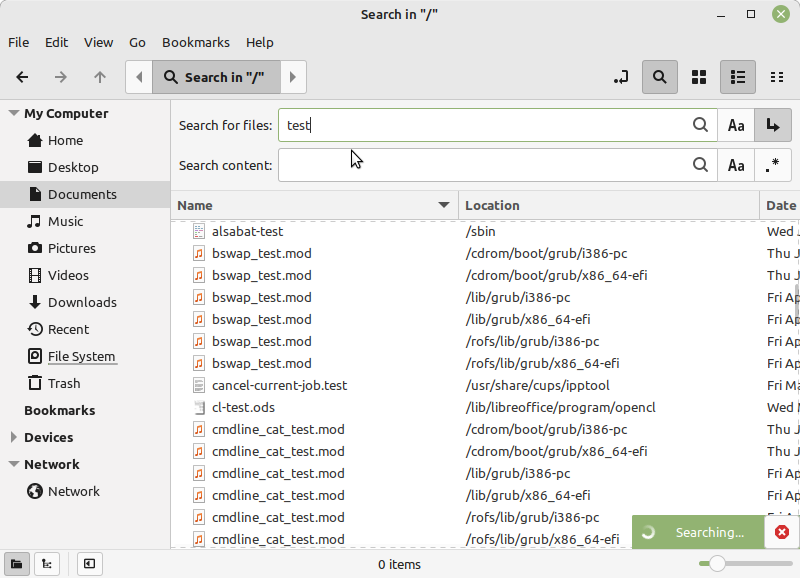
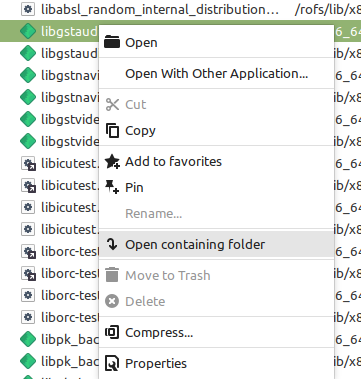
Pick one random file, right-click on it and click on "Open containing folder"
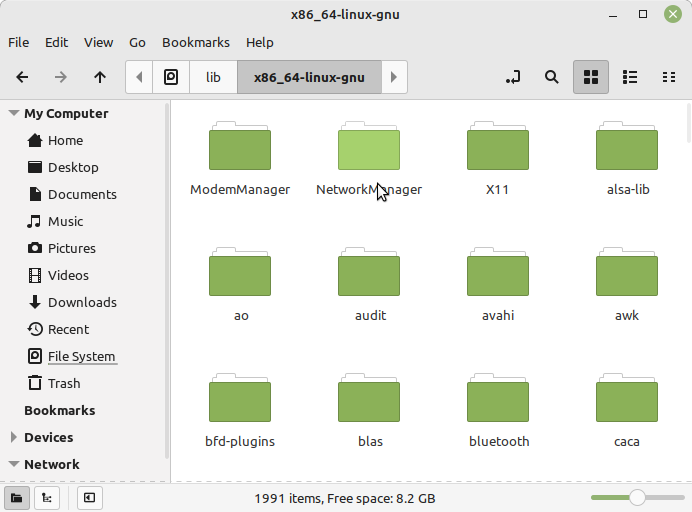
You should now have left Search mode and be inside some regular folder
Now go back to the search, either by pressing the ALT + <- keys, or by clicking the "Go to the previous visited location" button, and you should end up here:
Expected behaviour
The previous search from Screenshot 2 should be restored. I don't want to do the whole typing and searching once again (since I maybe misclicked and now want to look at another file from the results list).
Other information
There is a fix, that I found by accident. Before clicking on "Open containing folder" on a file, one must right-click on the grey "Search in" area at the top and click on "Copy", and this somehow "remembers" the current search automatically and prevents to end up in the "Not supported in this location" / "No Files found" from Screenshot 5.

By doing this, you instead somehow cycle back to the search from Screenshot 2 (which is the behaviour that I would have expected).
May be related to this issue: Sometimes I also saw this in the Search area, which doesn't seem to be okay:

Issue #3104 may too be related to this, because there is also some weird behaviour with the Search area going on.
This also happens on other distrobutions, such as Arch + Budgie.
Hello,

This is all tested from the latest LM 21Cinnamon Live Image (linuxmint-21-iso-cinnamon-64bit.iso)
Issue
When leaving the Search Mode (for example by right-clicking on a file and pressing "Open containing folder") and returning to it afterwards, one lands in some unexpected, empty area. The previous search results seem to be lost. But there is some kind of weird workaround, that I really would love to see implemented as default behaviour.
Steps to reproduce
Open nemo and start searching for something (it does not matter where or what, but one should get at least one result)
Pick one random file, right-click on it and click on "Open containing folder"

You should now have left Search mode and be inside some regular folder

Now go back to the search, either by pressing the

ALT+<-keys, or by clicking the "Go to the previous visited location" button, and you should end up here:Expected behaviour
The previous search from Screenshot 2 should be restored. I don't want to do the whole typing and searching once again (since I maybe misclicked and now want to look at another file from the results list).
Other information
There is a fix, that I found by accident. Before clicking on "Open containing folder" on a file, one must right-click on the grey "Search in" area at the top and click on "Copy", and this somehow "remembers" the current search automatically and prevents to end up in the "Not supported in this location" / "No Files found" from Screenshot 5.
By doing this, you instead somehow cycle back to the search from Screenshot 2 (which is the behaviour that I would have expected).
May be related to this issue: Sometimes I also saw this in the Search area, which doesn't seem to be okay:

Issue #3104 may too be related to this, because there is also some weird behaviour with the Search area going on.
This also happens on other distrobutions, such as Arch + Budgie.