Install the ActivitySmith CLI globally with npm:
npm install -g activitysmith-cliInstall the ActivitySmith skill when you want Codex, Claude, Cursor, or another skills-compatible agent to decide which ActivitySmith CLI command to run.
npx -y skills@latest add ActivitySmithHQ/activitysmith-cli --skill activitysmithUse the skill when an agent should notify you with Push Notifications, include a notification tap or action that can open a URL or run a specific iOS Shortcut, or keep task progress visible with Live Activities.
For example, a Codex agent can work on your computer, send a Push Notification when it needs your attention, and include a Shortcut action that runs an OpenChatGPT Shortcut on your iPhone so you can continue the conversation in the ChatGPT app.
- Create an API key
- Authenticate with
ACTIVITYSMITH_API_KEYor pass--api-keyper command. - Run
activitysmith --helpto inspect available commands.
Use the environment variable when you want the cleanest shell scripts:
export ACTIVITYSMITH_API_KEY="YOUR-API-KEY"

activitysmith --help
Or pass the key directly:
activitysmith --api-key "YOUR-API-KEY" push --title "Hello"Send an immediate notification for a completed task or event.
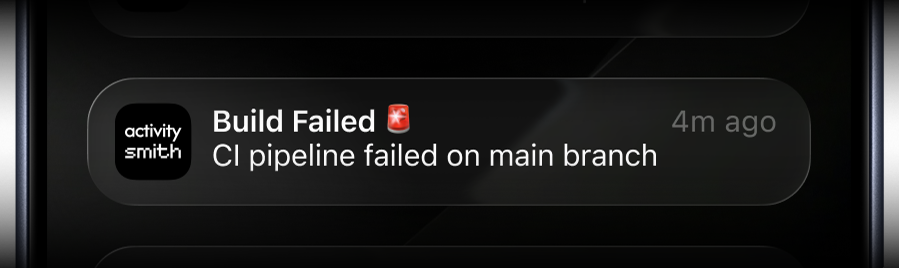
activitysmith push \
  --title "Build Failed 🚨" \
  --message "CI pipeline failed on main branch" \
  --subtitle "main"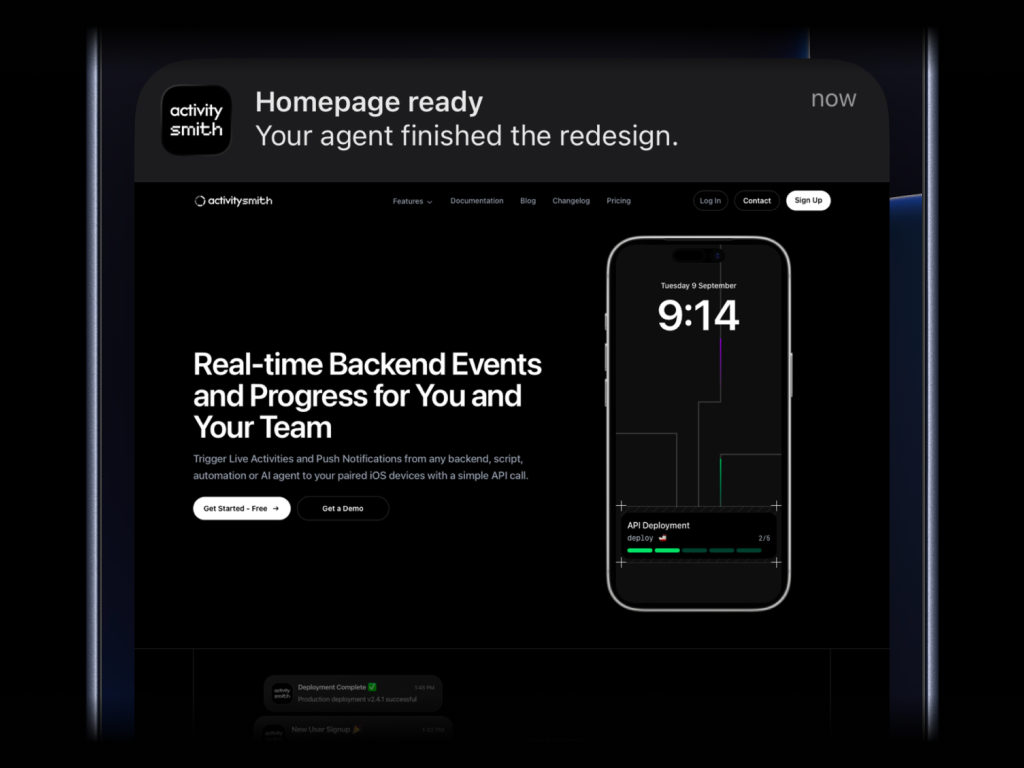
activitysmith push \
  --title "Homepage ready" \
  --message "Your agent finished the redesign." \
  --media "https://cdn.example.com/output/homepage-v2.png"
Attach images, videos, or audio to your Push Notifications. Press and hold the notification to preview the media.
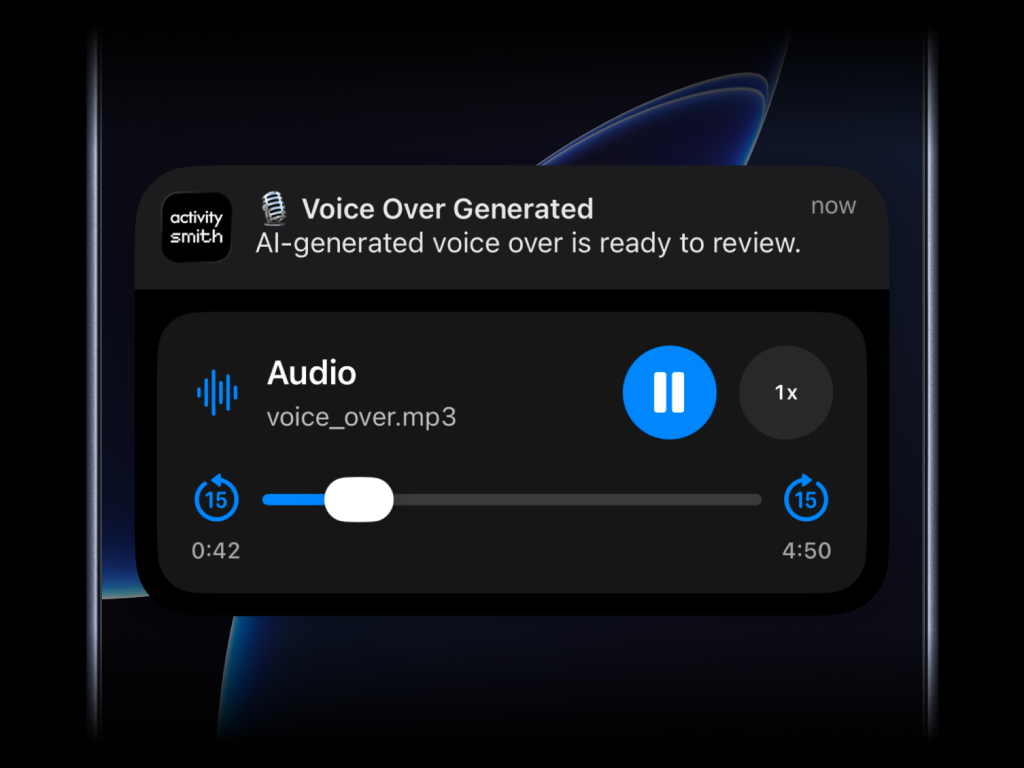
What will work:
- direct image URL:
.jpg,.png,.gif, etc. - direct audio file URL:
.mp3,.m4a, etc. - direct video file URL:
.mp4,.mov, etc. - URL that responds with a proper media
Content-Type, even if the path has no extension
--media cannot be combined with --actions.
Open a web page, run an iOS Shortcut, or open an app when someone taps the notification. --redirection supports:
- HTTP/HTTPS: Web pages, e.g.
https://example.com - Shortcuts: Run Jarvis with
shortcuts://run-shortcut?name=Jarvis - App deep links: Installed apps or specific content within them
- Spotify: A track, e.g.
spotify:track:6rqhFgbbKwnb9MLmUQDhG6 - Termius:
termius://to open the app - Claude:
claude://codeto open the Code tab - ChatGPT:
chatgpt://to open the app
- Spotify: A track, e.g.
activitysmith push \
  --title "Homepage ready" \
  --message "Your agent finished the redesign." \
  --redirection "https://github.com/acme/web/pull/482"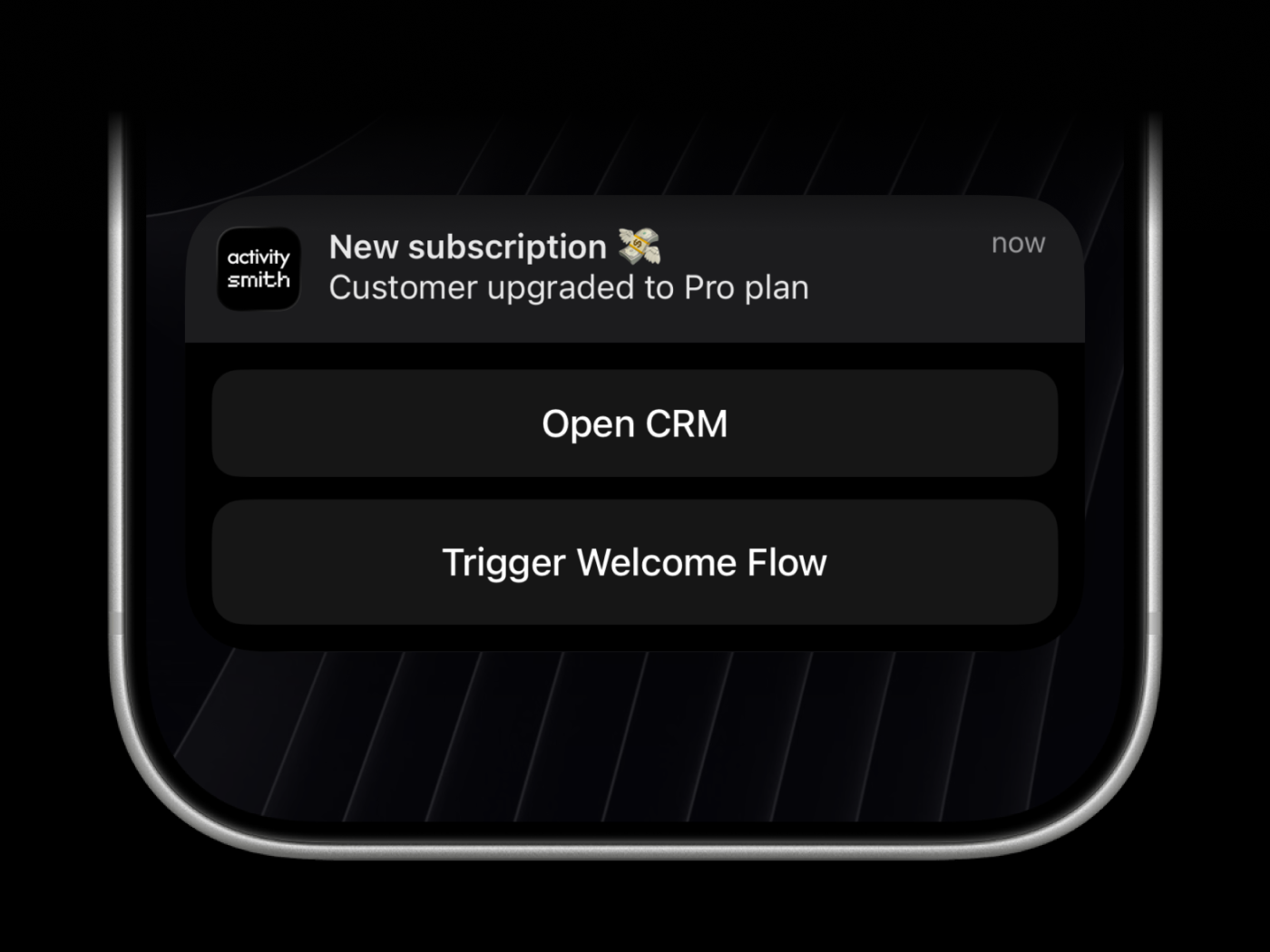
open_url actions open a web page, run an iOS Shortcut, or open an app when someone taps the button. Supported links:
- HTTP/HTTPS: Web pages, e.g.
https://example.com - Shortcuts: Run Jarvis with
shortcuts://run-shortcut?name=Jarvis - App deep links: Installed apps or specific content within them
- Spotify: A track, e.g.
spotify:track:6rqhFgbbKwnb9MLmUQDhG6 - Termius:
termius://to open the app - Claude:
claude://codeto open the Code tab - ChatGPT:
chatgpt://to open the app
- Spotify: A track, e.g.
Webhooks are executed by the ActivitySmith backend and must use HTTPS.
activitysmith push \
  --title "Build Failed 🚨" \
  --message "CI pipeline failed on main branch" \
  --actions '[
    {
      "title": "Open Build",
      "type": "open_url",
      "url": "https://github.com/org/repo/actions/runs/123456789"
    },
    {
      "title": "Chat with Jarvis",
      "type": "open_url",
      "url": "shortcuts://run-shortcut?name=Jarvis"
    },
    {
      "title": "Create Incident",
      "type": "webhook",
      "url": "https://hooks.example.com/incidents/create",
      "method": "POST",
      "body": {
        "service": "payments-api",
        "severity": "high",
        "source": "activitysmith-cli"
      }
    }
  ]'
You can also save the JSON array above as actions.json and load it from a file:
activitysmith push \
  --title "Build Failed 🚨" \
  --message "CI pipeline failed on main branch" \
--actions-file "./actions.json"Choose the Live Activity type that matches what you want to show:
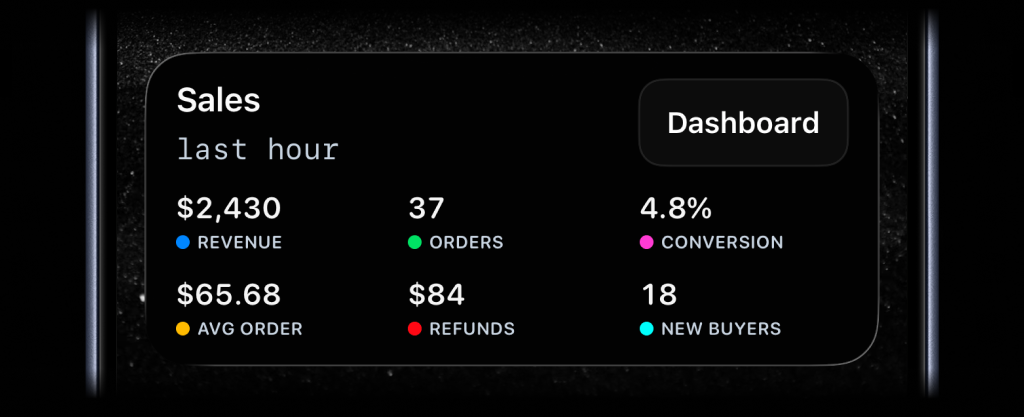
Stats: Show up to 8 labeled values on your Lock Screen, from revenue and orders to uptime and conversion.
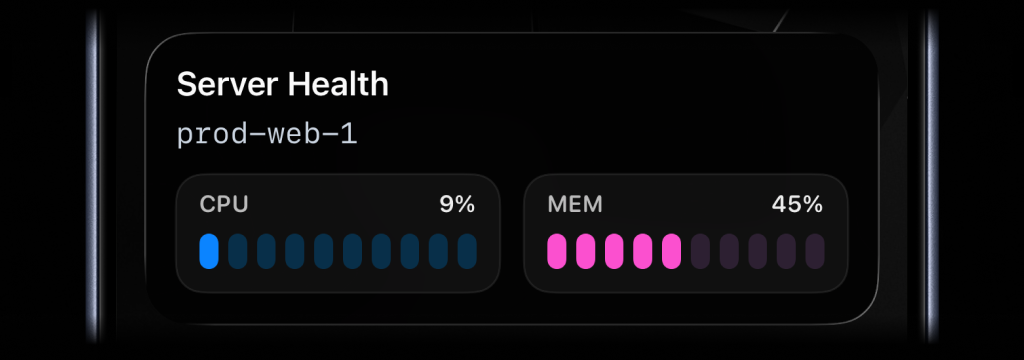
Metrics: Track two related values with segmented bars, such as CPU and memory.
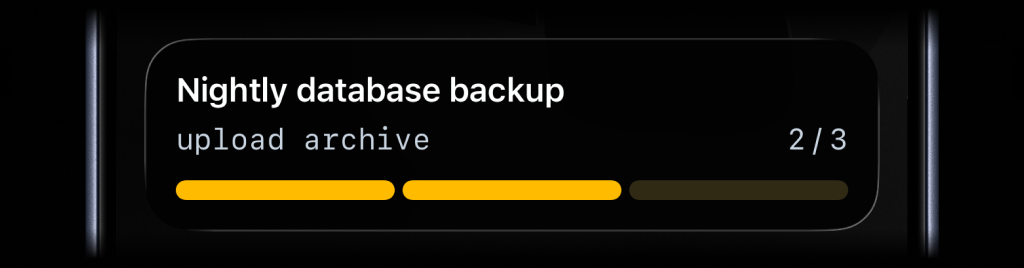
Segmented Progress: Show progress through a known set of steps, like build, test, deploy, and verify.
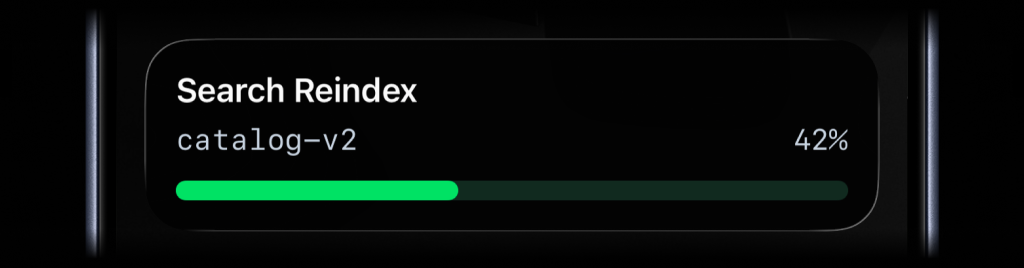
Progress: Show percentage progress for jobs that move continuously toward completion.
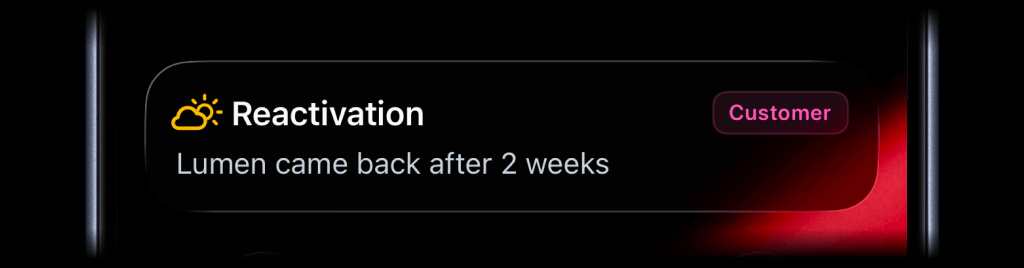
Alert: Show status updates with a clear message, badge, and icon. When you add an action button, color controls the button tint.
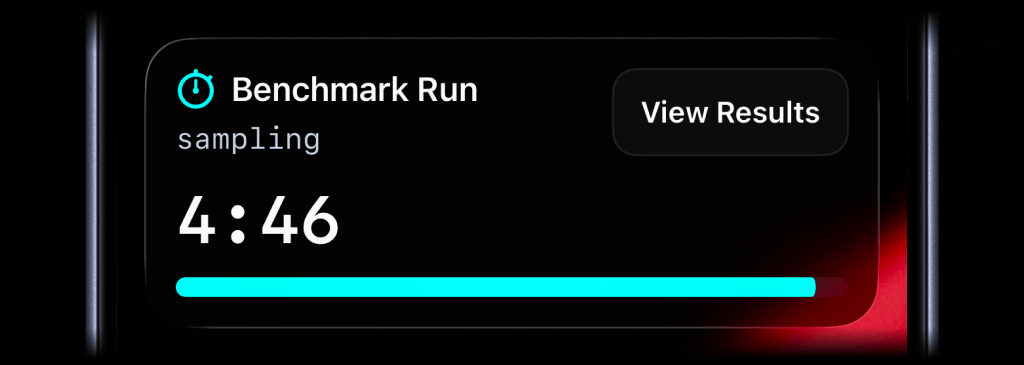
Timer: Count down from a duration, or count up from 00:00 while a job runs.
Use a stable stream_key to identify the metric, job, deployment, or system you want to keep visible. The first activity stream command starts the Live Activity. Later commands with the same stream_key update it.
activitysmith activity stream sales-hourly \
  --content-state '{
    "title": "Sales",
    "subtitle": "last hour",
    "type": "stats",
    "metrics": [
      { "label": "Revenue", "value": "$2430", "color": "blue" },
      { "label": "Orders", "value": "37", "color": "green" },
      { "label": "Conversion", "value": "4.8%", "color": "magenta" },
      { "label": "Avg Order", "value": "$65.68", "color": "yellow" },
      { "label": "Refunds", "value": "$84", "color": "red" },
      { "label": "New Buyers", "value": "18", "color": "cyan" }
    ]
}'activitysmith activity stream prod-web-1 \
--content-state '{
"title": "Server Health",
"subtitle": "prod-web-1",
"type": "metrics",
"metrics": [
{ "label": "CPU", "value": 9, "unit": "%" },
{ "label": "MEM", "value": 45, "unit": "%" }
]
}'activitysmith activity stream nightly-backup \
--content-state '{
"title": "Nightly Backup",
"subtitle": "upload archive",
"type": "segmented_progress",
"numberOfSteps": 3,
"currentStep": 2
}'activitysmith activity stream search-reindex \
--content-state '{
"title": "Search Reindex",
"subtitle": "catalog-v2",
"type": "progress",
"percentage": 42
}'activitysmith activity stream customer-ops \
--content-state '{
"title": "Reactivation",
"message": "Lumen came back after 2 weeks",
"type": "alert",
"icon": {
"symbol": "cloud.sun",
"color": "yellow"
},
"badge": {
"title": "Customer",
"color": "magenta"
}
}'activitysmith activity stream benchmark-run \
--content-state '{
"title": "Benchmark Run",
"subtitle": "sampling",
"type": "timer",
"durationSeconds": 300,
"color": "cyan"
}'For a countdown, send durationSeconds. Leave it out on later stream updates to preserve the running timer. Supplying a new duration restarts the countdown.
To start at 00:00 and count up, set countsDown to false and leave out durationSeconds.
Call activity end-stream with the same stream_key to dismiss the Live Activity. You can include final values before it is removed. Use --auto-dismiss-seconds or --auto-dismiss-minutes to delay dismissal. Use 0 for immediate dismissal. Seconds take precedence if both are set. JSON content state also accepts autoDismissSeconds or auto_dismiss_seconds.
activitysmith activity end-stream prod-web-1 \
  --auto-dismiss-seconds 30 \
  --content-state '{
    "title": "Server Health",
    "subtitle": "prod-web-1",
    "type": "metrics",
    "metrics": [
      { "label": "CPU", "value": 7, "unit": "%" },
      { "label": "MEM", "value": 38, "unit": "%" }
    ]
}'Add more context to Live Activities with icons and badges.
activitysmith activity stream prod-web-1 \
  --content-state '{
    "title": "Server Health",
    "type": "metrics",
    "metrics": [
      { "label": "CPU", "value": 18, "unit": "%" },
      { "label": "MEM", "value": 42, "unit": "%" }
    ],
    "icon": { "symbol": "server.rack", "color": "blue" }
  }'
The icon.symbol value is an Apple SF Symbol name. Browse the catalog in the ActivitySmith iOS app under Settings > SF Symbols.
activitysmith activity stream nightly-backup \
  --content-state '{
    "title": "Nightly Database Backup",
    "type": "segmented_progress",
    "numberOfSteps": 3,
    "currentStep": 2,
    "badge": { "title": "S3", "color": "cyan" }
}'Choose from these colors for the Live Activity accent, including progress bars and action buttons, or apply them to an individual icon or badge:
lime, green, cyan, blue, purple, magenta, red, orange, yellow, gray
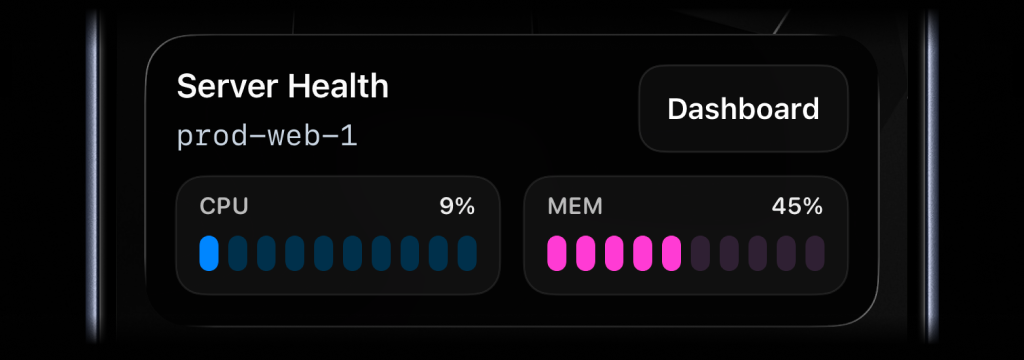
Live Activities can include an action button.
open_url: Open a web page or run an iOS Shortcutwebhook: Trigger a backend GET/POST workflow
Open a web page or run an iOS Shortcut when someone taps the button. Supported links:
- HTTP/HTTPS: Web pages, e.g.
https://example.com - Shortcuts: Run Jarvis with
shortcuts://run-shortcut?name=Jarvis
activitysmith activity stream prod-web-1 \
  --content-state '{
    "title": "Server Health",
    "subtitle": "prod-web-1",
    "type": "metrics",
    "metrics": [
      { "label": "CPU", "value": 76, "unit": "%" },
      { "label": "MEM", "value": 52, "unit": "%" }
    ]
  }' \
  --action '{
    "title": "Dashboard",
    "type": "open_url",
    "url": "https://status.example.com/servers/prod-web-1"
}'activitysmith activity stream prod-web-1 \
--content-state '{
"title": "Server Health",
"subtitle": "prod-web-1",
"type": "metrics",
"metrics": [
{ "label": "CPU", "value": 76, "unit": "%" },
{ "label": "MEM", "value": 52, "unit": "%" }
]
}' \
--action '{
"title": "Chat with Jarvis",
"type": "open_url",
"url": "shortcuts://run-shortcut?name=Jarvis"
}'activitysmith activity stream search-reindex \
--content-state '{
"title": "Reindexing product search",
"subtitle": "Shard 7 of 12",
"type": "segmented_progress",
"numberOfSteps": 12,
"currentStep": 7
}' \
--action '{
"title": "Pause Reindex",
"type": "webhook",
"url": "https://ops.example.com/hooks/search/reindex/pause",
"method": "POST",
"body": {
"job_id": "reindex-2026-03-19",
"requested_by": "activitysmith-cli"
}
}'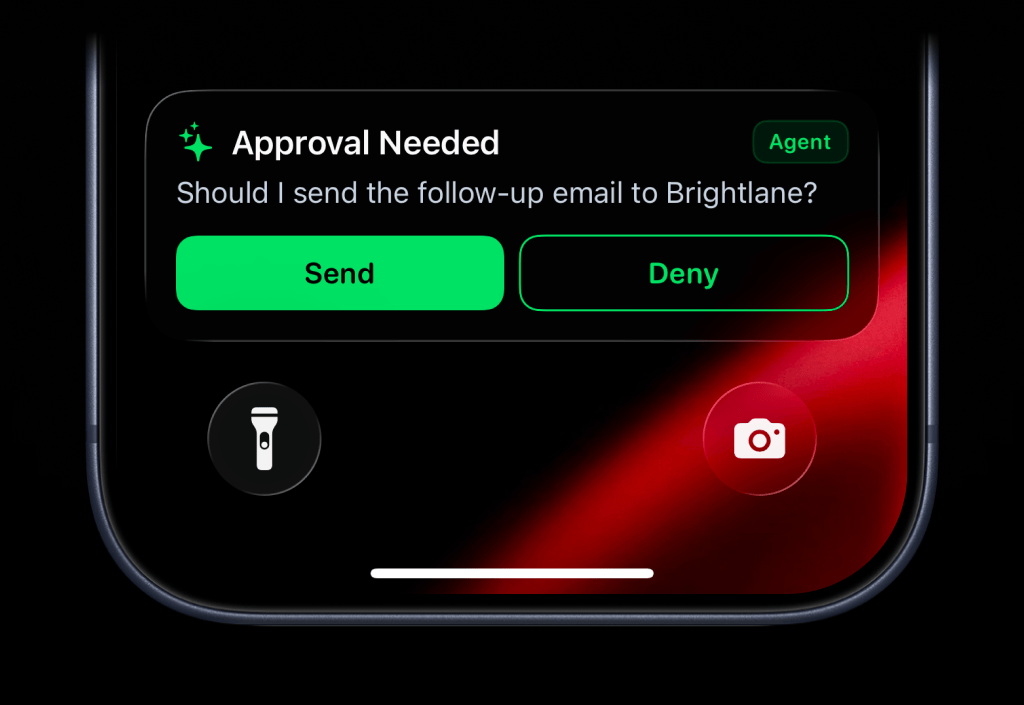
Use --secondary-action when you want a second button beside the primary --action.
The secondary action button is supported for alert, progress, and segmented_progress Live Activities. Both buttons use the same open_url, webhook, and Apple Shortcut payload shapes.
activitysmith activity stream agent-approval \
  --content-state '{
    "title": "Approval Needed",
    "message": "Should I send the follow-up email to Brightlane?",
    "type": "alert",
    "color": "green",
    "icon": { "symbol": "sparkles", "color": "green" },
    "badge": { "title": "Agent", "color": "green" }
  }' \
  --action '{
    "title": "Send",
    "type": "webhook",
    "url": "https://agent.example.com/live-activity/approve",
    "method": "POST",
    "body": {
      "approval_id": "approval_01JY3J7Q9S0P8M1V5PZK7DR4M2",
      "decision": "send"
    }
  }' \
  --secondary-action '{
    "title": "Deny",
    "type": "webhook",
    "url": "https://agent.example.com/live-activity/deny",
    "method": "POST",
    "body": {
      "approval_id": "approval_01JY3J7Q9S0P8M1V5PZK7DR4M2",
      "decision": "deny"
    }
  }'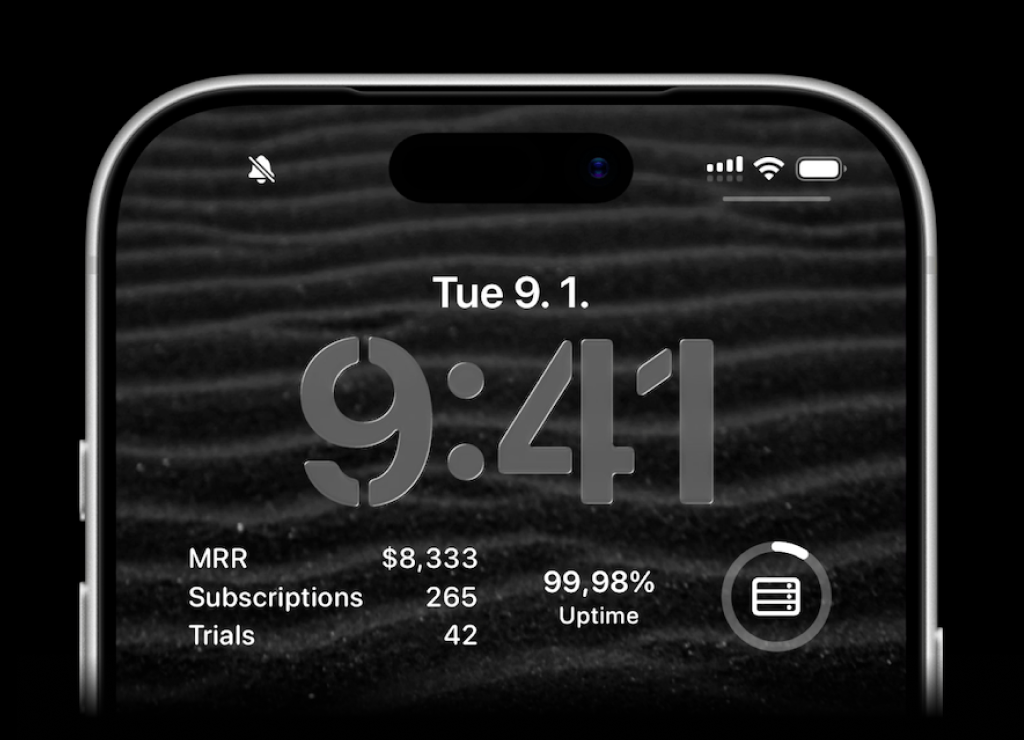
ActivitySmith lets you display any value on your Lock Screen with widgets - SaaS metrics, revenue, signups, uptime, habits, or anything else you want to track. Create a metric in the web app, then update the metric value using our API, add a widget to your lock screen and it will fetch the latest update automatically.
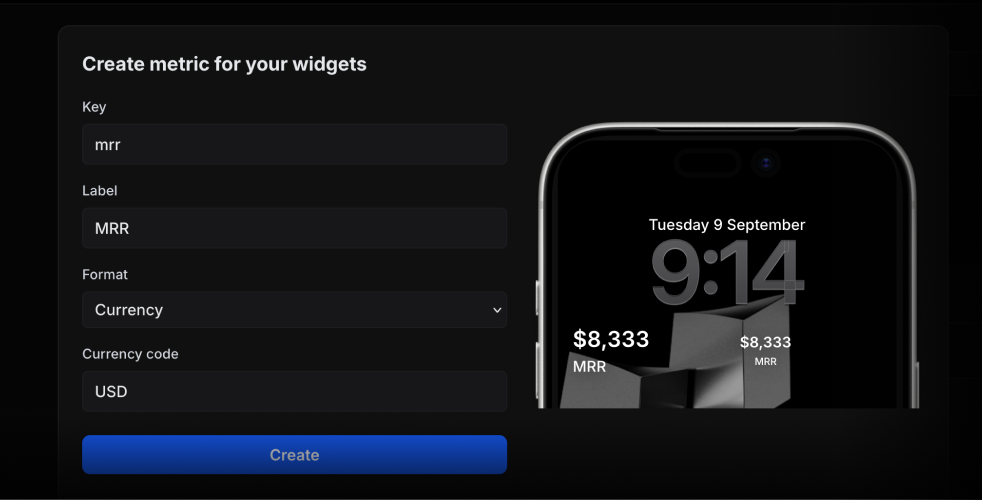
Use the metric key to update its value.
activitysmith metrics update deploy.success_rate 99.9String metric values work too.
activitysmith metrics update prod.status healthy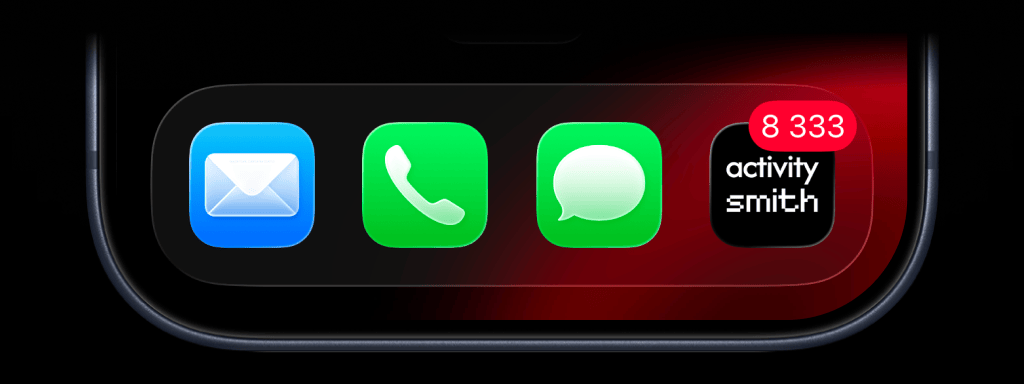
Show the number you care about on your ActivitySmith app icon. Track MRR, a customer count, a stock price, or any other value you want to keep in view.
activitysmith badge 8333Pass 0 to clear the badge.
activitysmith badge 0Metadata adds extra information to Push Notification and Live Activity details in ActivitySmith. It does not appear in the notification or Live Activity on your device.
activitysmith push \
  --title "New subscription 💸" \
  --message "Customer upgraded to Pro plan" \
  --metadata '{
    "customer_id": "382",
    "plan": "Pro",
    "amount": 29,
    "trial": false
  }'

activitysmith activity stream customer-import \
  --title "Customer Import" \
  --type progress \
  --percentage 60 \
  --metadata '{
    "job_id": "import-382",
    "records": 1200
  }'
Values can be strings, numbers, or booleans. Metadata supports up to 50 entries and 16 KB of JSON, with keys up to 100 characters and strings up to 4,000 characters. Nested objects, arrays, and null values are not supported.
Use tags to organize and filter your Push Notification and Live Activity history. Tags are created automatically when you first use them.
activitysmith push \
  --title "New subscription 💸" \
  --message "Customer upgraded to Pro plan" \
  --tags "user:382,billing"
For activity stream, activity update, and activity end, omit --tags to keep existing Tags, pass --tags to replace them, or use --clear-tags to remove them. --tags and --clear-tags cannot be used together.
activitysmith activity stream customer-import \
  --title "Customer Import" \
  --type progress \
  --percentage 60 \
  --clear-tags
activity end-stream also accepts --tags or --clear-tags to replace or clear Tags in the final history entry. Omit both flags to preserve them.
Use --channels to target specific team members or devices when sending Push Notifications, Live Activities, or App Icon Badge Count updates. Omit it for account-wide delivery.
activitysmith push \
  --title "Build Failed 🚨" \
  --message "CI pipeline failed on main branch" \
  --channels "devs,ops"
activitysmith activity stream nightly-backup \
--content-state '{
"title": "Nightly database backup",
"type": "segmented_progress",
"numberOfSteps": 4,
"currentStep": 1
}' \
--channels "devs,ops"activitysmith badge 3 --channels "sales,customer-success"Use --json for machine-readable output:
activitysmith push --title "Hello" --jsonThe CLI exits non-zero on non-2xx responses and prints the API error body. That includes validation failures, rate limits, and Live Activity limit errors.
Install the ActivitySmith CLI from npm