
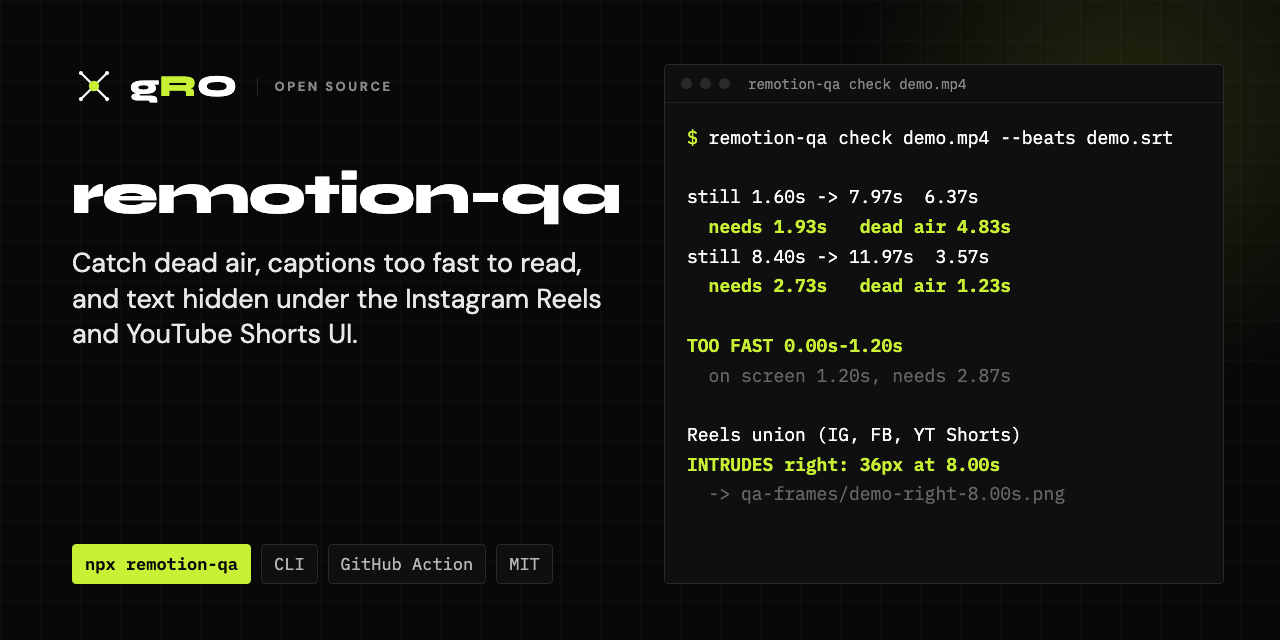
A safe zone and readability checker for Remotion videos and any mp4: Instagram Reels, Facebook Reels and YouTube Shorts safe zones, dead air, and captions that leave too fast.
Check a rendered video for the things that make people scroll past it with the sound off:
- Dead air. A frame that sits frozen after the viewer has finished reading it.
- Beats too fast to read. Text that leaves the screen before it can be read sound-off.
- Text under the platform UI. Captions, buttons and the progress bar on Reels, Shorts and TikTok sit on top of your video and hide whatever is there.
- Type too small for a phone. Sizes that look fine on a 27" monitor and shrink to 7pt on a 360pt-wide Android.
It measures the rendered file, frame by frame. It works on any mp4, and it has extras for Remotion: a render gate, and a size assertion you can call inside a composition.
The demo clip has one of each defect planted in it:
$ node examples/make-demo.mjs
$ npx remotion-qa check examples/demo.mp4 --beats examples/demo.srt --frames qa-frames

demo.mp4  360 frames, 12.00s at 30fps
  still 0.40s -> 1.17s  0.77s  needs 2.87s  dead air 0.00s
  still 1.60s -> 7.97s  6.37s  needs 1.93s  dead air 4.83s  <- DEAD AIR
  still 8.40s -> 11.97s  3.57s  needs 2.73s  dead air 1.23s  <- DEAD AIR
  longest static run 6.37s, worst dead air 4.83s
  TOO FAST 0.00s-1.20s: on screen 1.20s, needs 2.87s  "Most teams ship videos / nobody can finish"

demo.mp4  Reels union (IG Reels, FB Reels, YT Shorts): 24 frames sampled; 0 of 96 overlay bands held footage and were not judged
  INTRUDES right: 36px into the inset at 8.00s  -> qa-frames/demo-right-8.00s.png
Most readability checks run on the composition's own numbers, and that's where they go wrong. If a beat's duration is computed from its text, then asserting that the duration is long enough for the text compares a number with itself. That check can't fail. A cut can pass every one of them while a price card sits frozen for eight seconds, because its three line items were staggered four frames apart and landed at once.
The rendered frames show a freeze like that plainly, so this tool measures the frames instead of trusting the numbers.
npm install --save-dev remotion-qa # or run it with npxIt uses ffmpeg-static. Newer
npm versions skip install scripts, so if that binary is missing it uses ffmpeg
from your PATH, and failing that downloads the bundled copy once on first run.
To use a specific binary, set REMOTION_QA_FFMPEG=/path/to/ffmpeg.
npx remotion-qa pace video.mp4                      # static runs only
npx remotion-qa pace video.mp4 --beats video.srt    # + dead air and too-fast beats
npx remotion-qa pace video.mp4 --max 5              # exit 1 on any static run over 5s
npx remotion-qa pace video.mp4 --beats b.json --max-dead 1   # exit 1 on >1s dead air or a too-fast beat
A static run is a stretch where nothing on screen changes. On its own it is not a defect: a frozen frame while someone is still reading is reading time. Give the tool the text on screen and it works out how much of each run is dead air, meaning the part after the viewer has finished:
required seconds = longest line in characters / 15 + 0.4s per extra line + 1s
That clock starts when the beat arrives. The longest line drives it, not the total, because the eye scans line by line.
--beats accepts .srt, .vtt or JSON:
[
  { "start": 0, "end": 2.5, "text": "Most practices pay twice\nfor the same lead" },
  { "from": 75, "to": 150, "fps": 30, "text": "Here's where it leaks" }
]
When it finds dead air, stagger, don't trim. Shortening the beat swaps dead air for a beat that's too fast. Build the block at reading pace instead (list items about 20 frames apart, not 4), then hold only for the last item.
Two things it can't tell apart, and how to read them:
- Slow camera pushes look still. A few percent of zoom over a beat is less than a pixel per frame. Judge runs on flat graphic grounds, not footage.
- Eased entrances finish "still". An ease-out is about 94% done halfway through, so a run that starts mid-entrance is partly entrance and partly hold.
npx remotion-qa safezone video.mp4 --frames qa-frames/
npx remotion-qa safezone video.mp4 --channel ig-reels
It reports how far anything drawn reaches into each overlay zone, in canvas px,
and --frames saves the frame with the zones shaded. Text in a shaded zone is a
defect. A background graphic there is fine. You decide in a second by looking.
| Channel | Canvas | Insets T / B / L / R |
|---|---|---|
reels-union (default for 9:16) |
1080×1920 | 220 / 360 / 60 / 180 |
ig-reels |
1080×1920 | 220 / 340 / 60 / 180 |
fb-reels |
1080×1920 | 220 / 360 / 60 / 140 |
yt-shorts |
1080×1920 | 220 / 280 / 60 / 160 |
yt-landscape (end-screen cards on the right) |
1920×1080 | 120 / 60 / 60 / 300 |
feed-square |
1080×1080 | 60 / 120 / 60 / 60 |
feed-portrait |
1080×1350 | 60 / 140 / 60 / 60 |
reels-union is the worst case of the three vertical feeds, so one render is
safe on all of them. Other resolutions with the same aspect are scaled.
It only judges an overlay band when that band is mostly a flat ground with marks on it. When footage fills the band, the edges in the picture can't be told apart from text, so the band is skipped and counted, never reported clear.
npx remotion-qa floors --channel reels-union
npx remotion-qa floors --font-factor 1.08     # lighter faces need bigger floors
hero 74px 24.7pt
body 38px 12.7pt
eyebrow 24px 8.0pt
...
The floors are calibrated to a 360pt-wide Android, the smallest mainstream phone in use: on a 1080-wide canvas, on-device pt = canvas px / 3. Use them as floors and make everything as large as the layout allows. Faces with thin stems need a factor; 1.08 suits Manrope 600/700.
Inside a Remotion composition:
import { assertLegible, minPx } from 'remotion-qa';

const headline = assertLegible(88, 'hero');          // throws under the floor
const label = Math.max(minPx('eyebrow'), 26);
Bigger type wraps differently, and different wrapping changes reading time. So
re-run pace after any size change.
npx remotion-qa render MyComp out/video.mp4 --max 5
npx remotion-qa render MyComp out/video.mp4 -- --codec h264 --crf 16
Runs npx remotion render, then the pace check. On failure, the file is moved
to out/video.failed-pace.mp4 and the command exits 1, so a badly paced cut
never sits at the path someone sends from.
npx remotion-qa check out/*.mp4 --beats captions.srt --jsonExits 1 on dead air over --max-dead (default 1s), a beat too short to read,
or any safe-zone intrusion.
- uses: GroMarketing/remotion-qa@v0
  with:
    files: out/*.mp4
    beats: captions.srt      # optional
Flagged frames are written to remotion-qa-frames/; upload them with
actions/upload-artifact to review them from the run.
/plugin marketplace add GroMarketing/remotion-qa
/plugin install remotion-qa@remotion-qa
The skill has Claude run the checks after every render and read the output the way a human would: dead air, not raw stillness; staggering a reveal instead of trimming the beat; re-checking pace after any size change.
import { analyzePace, analyzeSafeZone, requiredSeconds, loadBeats } from 'remotion-qa';

const pace = analyzePace('out/video.mp4', { beats: loadBeats('captions.srt') });
const zones = analyzeSafeZone('out/video.mp4', { channel: 'reels-union' });- Pace. Every frame is decoded to grey at about 65K pixels, and each frame is diffed with the previous one. A frame counts as unchanged when the mean per-pixel delta is under 0.12 on a 0 to 255 scale. The resolution and threshold are tuned together: at 64×114 an 80px word rise on a light ground looked "still" for most of its entrance.
- Safe zones. Frames are sampled twice a second at half resolution. In each overlay band, the ground is the densest ±8-luma window of the histogram, and ink is anything more than 48 levels from it, in rows or columns with at least 3 such pixels.
MIT