
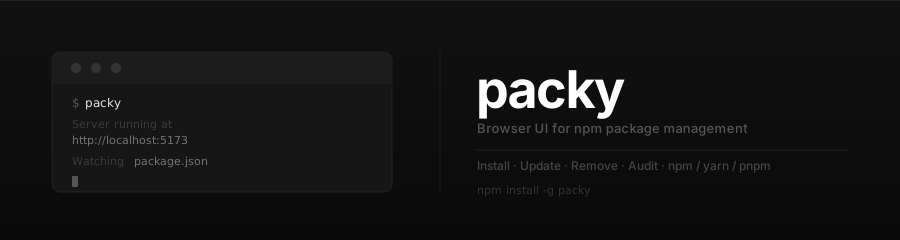





Run one command. See — and fix — everything about your project's dependencies.
Your dependencies live in a package.json and surface as scattered, plain-text CLI output. Packy turns them into a live dashboard in your browser — what's outdated, what's vulnerable, what's bloated, what's unused, what's unmaintained — and lets you fix all of it without ever leaving the page.
npx packydashThat's the whole setup. No install, no config, no account — Packy reads your project and opens a dashboard.
Staying on top of dependencies usually means juggling npm outdated, npm audit, npm ls, a tab on npmjs.com for every package, and a changelog hunt before each upgrade. The answers are out there — just scattered across six places and printed as text.
Packy puts them in one place you actually want to look at:
- 🔎 One glance, full picture — outdated, vulnerable, unused, and unhealthy packages, all on one screen.
- 🛟 Upgrade with confidence — see the changelog and breaking changes before you install.
- 🖱️ Fix it in place — update, remove, audit-fix, and run scripts straight from the browser, with live output.
- 🔒 Stays on your machine — a local server, the npm registry, and nothing else.
- Stats bar: total packages, outdated count, vulnerability summary,
node_modulesinstall size, and last audit — with a trend sparkline. - An activity feed of every install, update, removal, and audit across sessions.
- The packages that need attention, surfaced first.
- Install, update, and remove packages from the browser.
- Update All outdated packages in a single click, with live progress.
- Pin any version — pick from the full npm release history before installing.
- Command output streams to the browser in real time over SSE.
- Changelog & breaking-change detection — Packy fetches the changelog between your installed version and the target, and flags breaking changes before you hit install.
- Dependency health score (0–100) — shown as a visual gauge, with maintenance status (healthy → deprecated), last-published date, and deprecation warnings.
- Download trends — an interactive chart of weekly npm downloads over the last 12 months.
- Run
npm auditfrom the browser with a clear severity breakdown — critical, high, moderate, low, info. - Apply fixes individually or all at once, including force-fixes for breaking major bumps.
- Persistent audit & fix history, so you can see exactly what changed and when.
- Unused dependency detection (powered by
depcheck) — packages declared inpackage.jsonthat nothing actually imports. - Smart filter chips that surface outdated, unused, or dev-only packages instantly.
- Auto-detects npm / yarn / pnpm workspaces.
- Switch the dashboard between any single workspace and the whole repository.
- Duplicate version detection — catches the same dependency pinned to different versions across workspaces, with a color-coded breakdown of who uses what.
- Every
package.jsonscript, runnable from the browser with live streaming output and per-script run history.
- System-aware dark mode with a manual toggle, remembered across sessions.
- Fully responsive — works on phone, tablet, and desktop.
- Run
npx packydashinside any Node.js project. - Packy starts a local server, reads your
package.json, and opens your browser. - Browse, audit, upgrade, and run scripts — every command streams its output back live.
Node.js >= 18.0.0
Run it on demand with no install:
cd your-project
npx packydash
Or install it globally if you reach for it often:
npm install -g packydash
packy--port <number> Port to listen on (default: auto-selects from 5173–5177)
--help Show help
packy --port 4000Packy auto-detects the package manager from your project:
| Lock file | Package manager |
|---|---|
pnpm-lock.yaml |
pnpm |
yarn.lock |
yarn |
package-lock.json or none |
npm |
Packy runs entirely on your machine. It serves the dashboard from a local server, reads your project's package.json, and queries the public npm registry for version, health, and download data. There are no accounts, no config files, and no telemetry — and the API only accepts requests from localhost.
See CHANGELOG.md for the full release history.
MIT — Nikola Jevric