
Use Chutes open-source models inside VS Code chat with streaming, tool calling, vision, and automatic model routing.



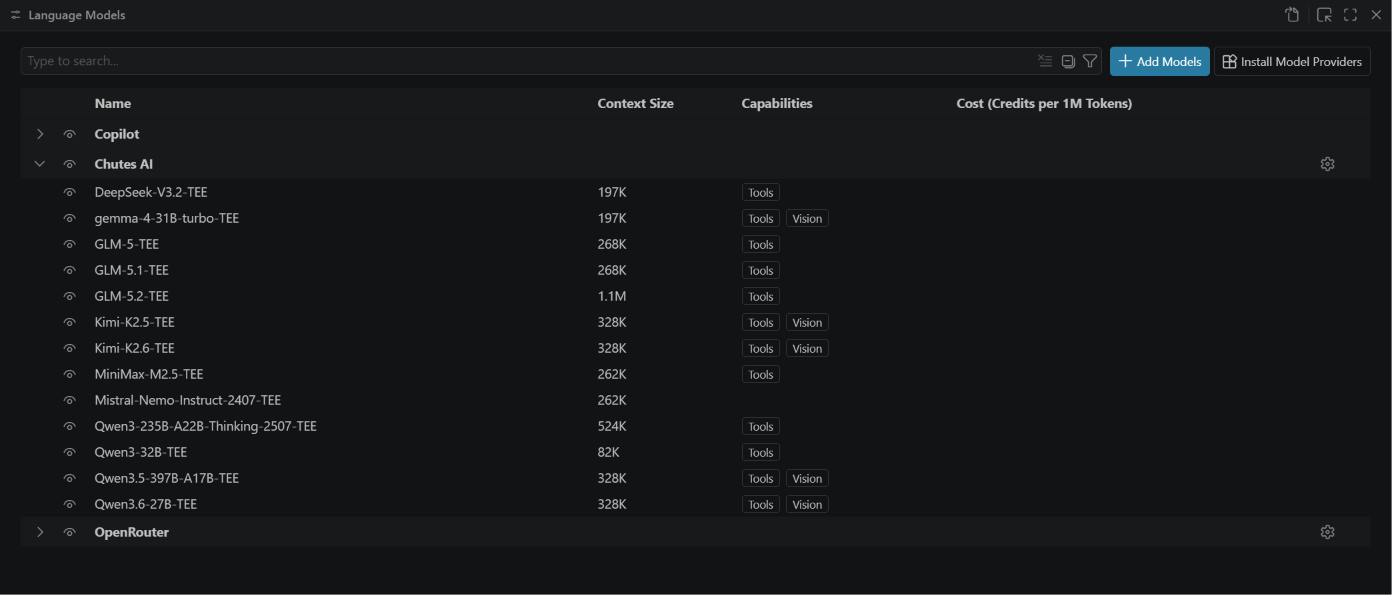
Chutes Model Provider is a VS Code extension that connects the Chutes.ai model catalogue to the
Language Model Chat Provider API. It discovers every available model automatically, streams
responses, supports tools in agent mode, and routes requests through Chutes' native model router when
you do not want to pick a model yourself. It also exposes @chutes chat commands for account usage
and quotas.
It is aimed at developers who already use GitHub Copilot Chat but want to run DeepSeek, Qwen, GLM, Kimi, and other Chutes-hosted models from the same chat panel. A GitHub Copilot subscription is not required to use the provider.
This is an independent, unofficial extension. It is not affiliated with, sponsored by, or endorsed by Chutes, GitHub, or Microsoft.
Install from the Visual Studio Marketplace:
code --install-extension mikesoft.chutes-model-provider-vscodeAlternatively, install it from Open VSX if your editor uses that registry.
- Open the VS Code Chat view and open the model picker.
- Select Manage Models…, then Chutes AI.
- Paste your Chutes API key (it starts with
cpk_; create one at chutes.ai). - Select the models you want in the picker and start chatting.
You can set or replace the key at any time with Chutes AI: Manage API Key in the Command
Palette.
- Automatic model discovery: the catalogue is fetched from the API, so new models appear without an extension update.
- Auto (router): a virtual model that delegates selection to Chutes' native routing, with an inline catalogue pool as fallback when no routing pool is configured.
- Native chat integration: models work in Ask, Edit, and Agent modes, and tool-capable models expose agent mode.
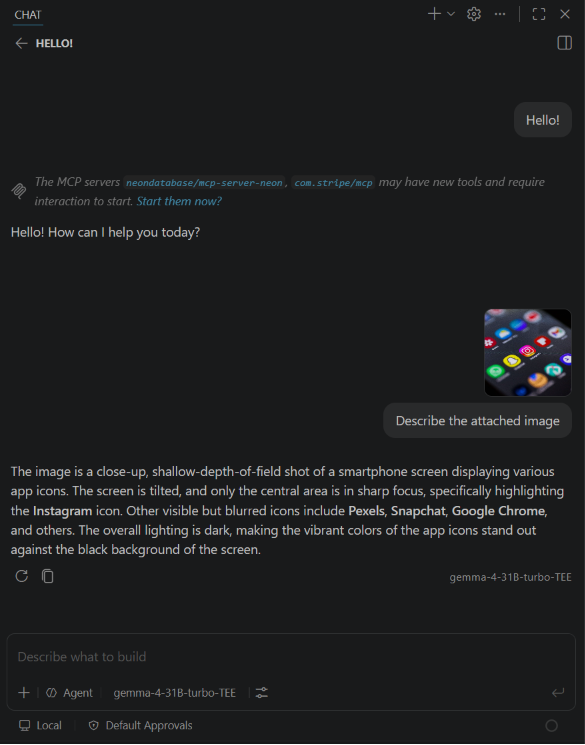
- Vision: models that accept image input can read images attached to a chat.
- Streaming with cancellation, including tool-call assembly for agent mode.
- Secure key storage: the API key lives in VS Code SecretStorage (the OS keychain), never in settings.
- Configurable filtering to narrow the picker to the models you use.
- Usage and spend in chat through
@chutes /usageand@chutes /quota.
- VS Code 1.106.0 or newer, for the image and data chat-part API.
- A Chutes API key.
- Network access to the endpoints listed under Configuration.
| Setting | Purpose | Default |
|---|---|---|
chutes.endpoint |
OpenAI-compatible API base URL for the selected model. | https://llm.chutes.ai/v1 |
chutes.modelFilter |
Restrict which models appear. Comma-separated terms are matched as case-insensitive substrings or safe regular expressions; invalid expressions are treated literally. | empty |
chutes.requestTimeoutMs |
Timeout in milliseconds for fetching the model list. Streaming responses are not limited by it. | 15000 |
chutes.autoRouterEnabled |
Show the Auto (router) model. | true |
chutes.routerEndpoint |
Base URL the Auto (router) model routes through. | https://llm.chutes.ai/v1 |
Changes to any chutes.* setting invalidate the model cache immediately; no window reload is
required. Each new outbound endpoint is deliberate: the selected-model path uses chutes.endpoint,
Auto (router) uses chutes.routerEndpoint, and the @chutes usage commands use
https://api.chutes.ai.
| Command | Purpose |
|---|---|
Chutes AI: Manage API Key |
Set, update, or clear the API key. |
Chutes AI: Refresh Models |
Re-fetch the model list. |
Prompts, attachments, and advertised tool data are sent only to the endpoint that serves the selected
model: chutes.endpoint for a concrete model and chutes.routerEndpoint for Auto (router). The
@chutes usage commands query https://api.chutes.ai. A custom endpoint receives the same request
data, so configure only services you trust.
The API key is stored in VS Code SecretStorage and is never written to settings or logs. The
extension runs no local server, persists no prompts, and collects no telemetry. Use of Chutes remains
subject to the Chutes Terms of Service and
Chutes Privacy Policy. See SECURITY.md for
vulnerability reporting.
Make sure an API key is set and then run Chutes AI: Refresh Models. An over-strict
chutes.modelFilter can hide every model; clear it to show all chat models. Confirm that VS Code is
1.106 or newer.
The key is missing, invalid, or does not cover the selected model. Run Chutes AI: Manage API Key
and paste a current key.
An outdated chutes.routerEndpoint still points at the retired standalone router. Clear the setting
so it falls back to https://llm.chutes.ai/v1, where Chutes resolves the native default alias with
an inline pool as fallback, and update the extension to the latest release.
VS Code only offers tool-calling models in agent mode. A model that does not advertise tool support in the Chutes API appears in Ask and Edit modes only.
Only models with image input support can read images. Pick a vision-capable model; the picker marks models that accept images.
Requirements: Node.js 22 or newer and npm.
git clone https://github.com/TheStreamCode/chutes-model-provider-vscode
cd chutes-model-provider-vscode
npm ci
npm run check
npm run check runs the type check, lint, formatting check, dependency audit, offline tests,
production bundle, and a VSIX content check. Press F5 in VS Code to launch an Extension Development
Host. See CONTRIBUTING.md for details and docs/ for the user guide and
troubleshooting.
Report reproducible defects in GitHub Issues
and ask usage questions in
GitHub Discussions. See
SUPPORT.md and docs/troubleshooting.md for more.
See CONTRIBUTING.md. Pull requests must pass the required CI checks.
MIT — see LICENSE. Third-party marks and notices are described in
THIRD_PARTY_NOTICES.md.
Maintained by Michael Gasperini (Mikesoft). If this project is useful to you, consider sponsoring its maintenance.