
Discover your IP address and any website's IP with beautiful location details, coordinates, and one-click copying!


Check out our beautiful website for more details, screenshots, and an easy installation experience!
- 🔍 Real-time IP Detection - View your public IP address instantly
- 🌐 Website IP Lookup - Check any website's IP address
- 📍 Comprehensive Location Data - Coordinates, timezone, ISP, region
- 📋 One-Click Copy - Copy IP addresses with a single click
- 🎨 Beautiful Design - Modern glassmorphism UI with smooth animations
- 📱 Universal Compatibility - Works on all websites and pages
- 🔒 Privacy-Focused - No data storage, no tracking, no ads
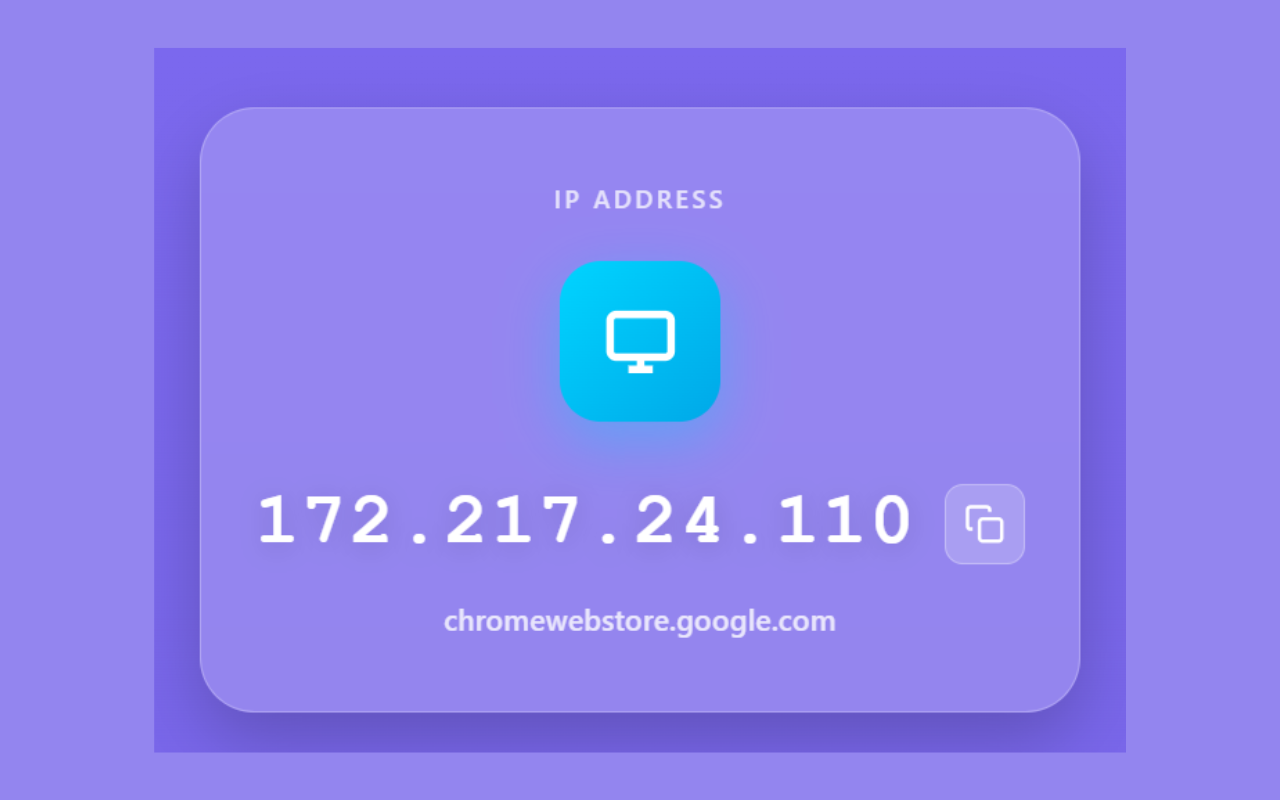 View your IP with detailed location information
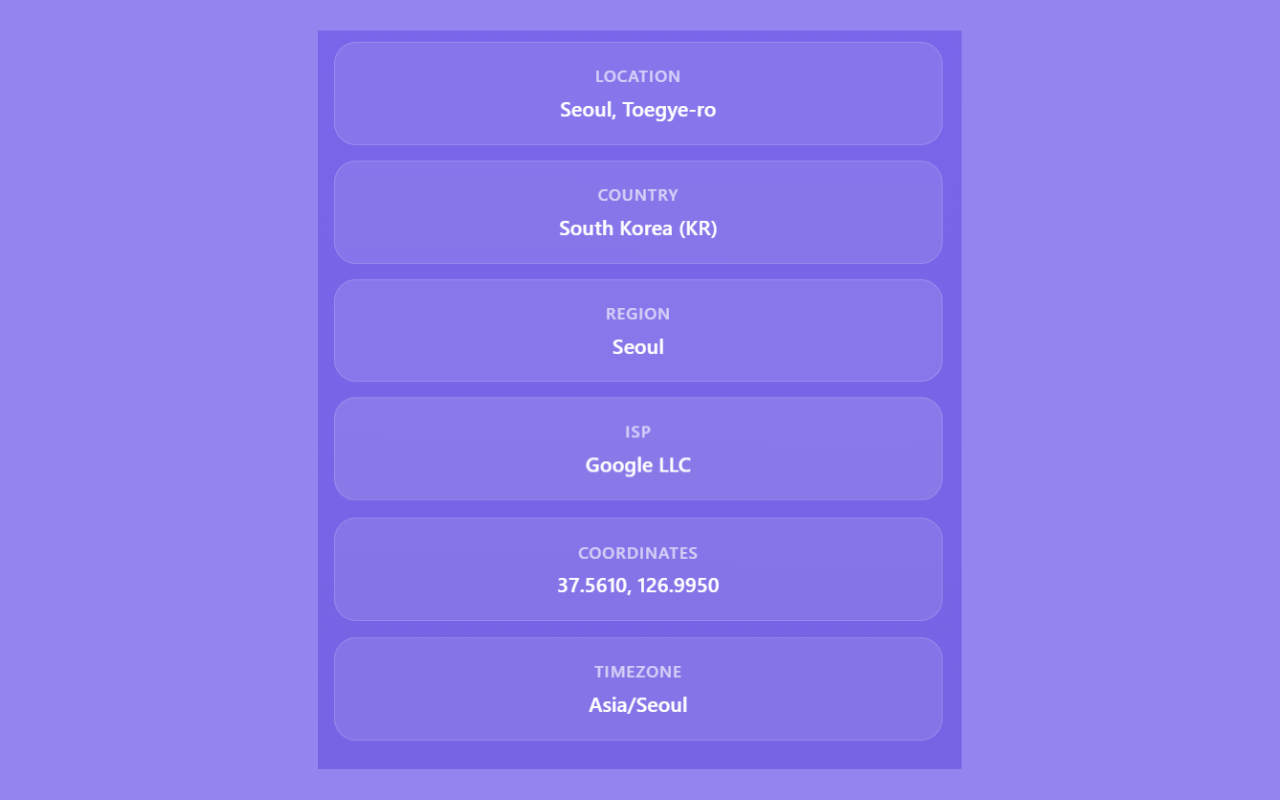 Check any website's IP address and location
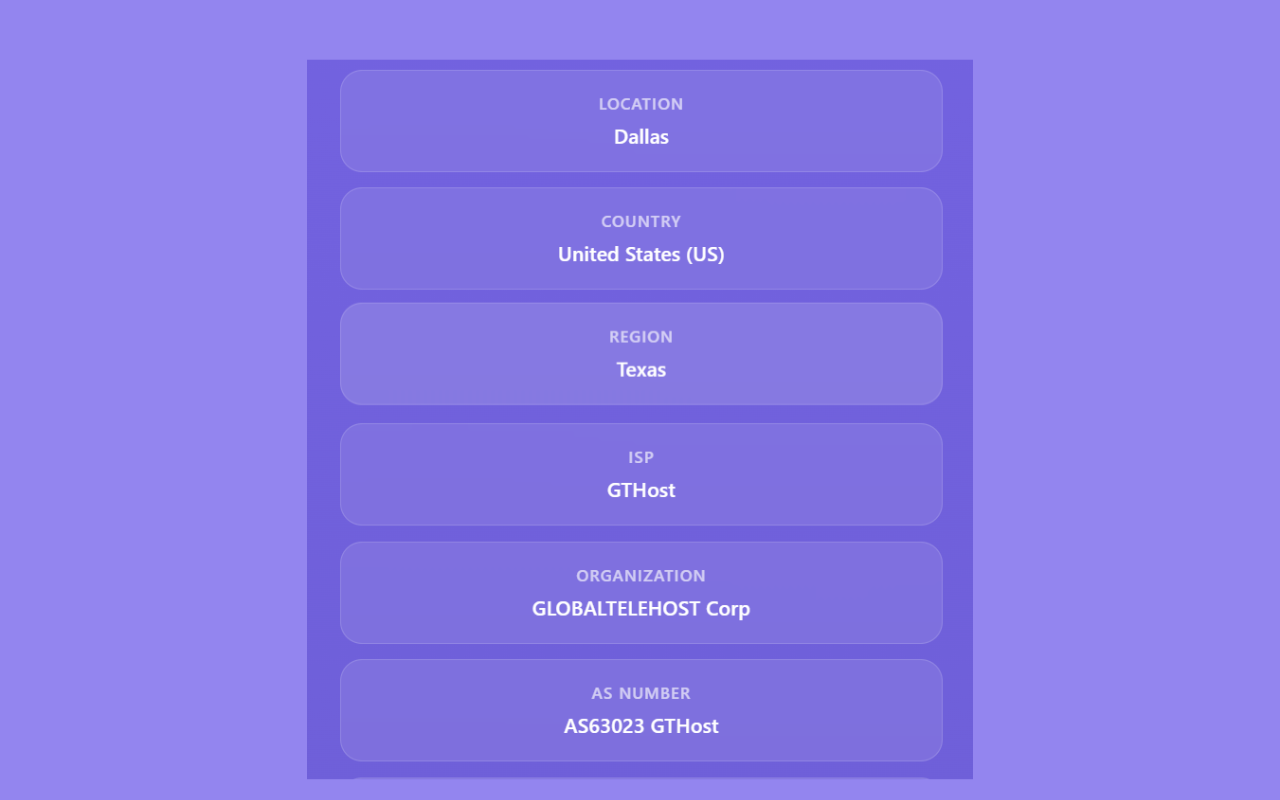 One-click IP copying with visual feedback
- Click the "Add to Chrome" button above or visit: IP Tracker on Chrome Web Store
- Click "Add to Chrome" on the extension page
- The extension will be installed automatically
-
Download the extension files:
- Click the green "Code" button above
- Download ZIP file
- Extract to a folder
-
Load in Chrome:
- Open Chrome and go to
chrome://extensions/ - Enable "Developer mode" (toggle in top-right)
- Click "Load unpacked"
- Select the extracted folder
- The extension is now installed!
- Open Chrome and go to
-
Verify Installation:
- Look for the IP Tracker icon in your extension bar
- Click it to see your IP information
- Click the extension icon in your browser toolbar
- View your IP address with complete location details
- Visit any website and click the extension again to see that website's IP
- Copy IP addresses by clicking the copy button next to any IP
- Enjoy detailed information including coordinates, timezone, ISP, and more!
- 📍 Location - City and district
- 🏛️ Country - Full name with country code
- 🗺️ Region - State/Province
- 🌐 ISP - Internet Service Provider
- 🏢 Organization - Network organization
- 🔢 AS Number - Network routing info
- 📌 Coordinates - Latitude/Longitude
- 🕐 Timezone - Local timezone
- 📬 Postal Code - ZIP/Postal code
- 📞 Calling Code - International dialing code
- 💰 Currency - Local currency
- 🗣️ Languages - Spoken languages
- 📍 Location, 🏛️ Country, 🗺️ Region
- 🌐 ISP, 📌 Coordinates, 🕐 Timezone
- Manifest Version: 3 (Chrome MV3)
- Permissions:
activeTab,tabs,clipboardWrite - APIs Used:
ipify.org- IP address detectionip-api.com- Geolocation datadns.google- DNS resolution
- Browser Support: Chrome 88+, Edge 88+, Opera 74+
- No Data Storage - All information is fetched in real-time
- No Tracking - Your browsing activity is never monitored
- No Ads - Completely ad-free experience
- Local Processing - All data displayed in your browser
- Secure Connections - HTTPS-only API calls
For complete privacy policy, visit: Privacy Policy
- Google Chrome or Chromium-based browser
- Basic understanding of Chrome extensions
IP-Tracker/
├── manifest.json          # Extension manifest
├── popup.html            # Main popup interface
├── popup.js              # JavaScript functionality
├── styles.css            # CSS styling
├── icons/                # Extension icons
│   ├── icon16.png
│   ├── icon48.png
│   └── icon128.png
├── screenshots/          # Screenshots for documentation
├── README.md             # This file
├── LICENSE               # MIT License
└── .gitignore           # Git ignore rules
- Clone the repository
- Make your changes
- Load as unpacked extension in Chrome
- Test thoroughly
- Submit pull request
Contributions are welcome! Please feel free to submit a Pull Request. For major changes, please open an issue first to discuss what you would like to change.
- 🐛 Bug Reports - Found a bug? Open an issue!
- 💡 Feature Requests - Have an idea? Let us know!
- 🔧 Code Contributions - Help improve the extension
- 📖 Documentation - Improve README or add tutorials
This project is licensed under the MIT License - see the LICENSE file for details.
- Icons: Custom designed for IP Tracker
- APIs: Thanks to ipify.org, ip-api.com, and Google DNS
- Inspiration: Modern web design and glassmorphism trends
- GitHub Issues: Report bugs or request features
- Discussions: Ask questions and get help
- Email: iptracker.extension@gmail.com
- ✨ Initial release with full IP tracking features
- 🎨 Beautiful glassmorphism design
- 📋 One-click IP copying
- 📍 Comprehensive location data
- 🌐 Website IP lookup
- 🔒 Privacy-focused architecture
Made with ❤️ for developers, IT professionals, and privacy-conscious users worldwide.
⭐ Star this repository if you find it helpful!