
Build, deploy, manage, and monitor cloud applications from the terminal: AI Builder, deployments, standalone databases, storage, secrets, domains, and team access.
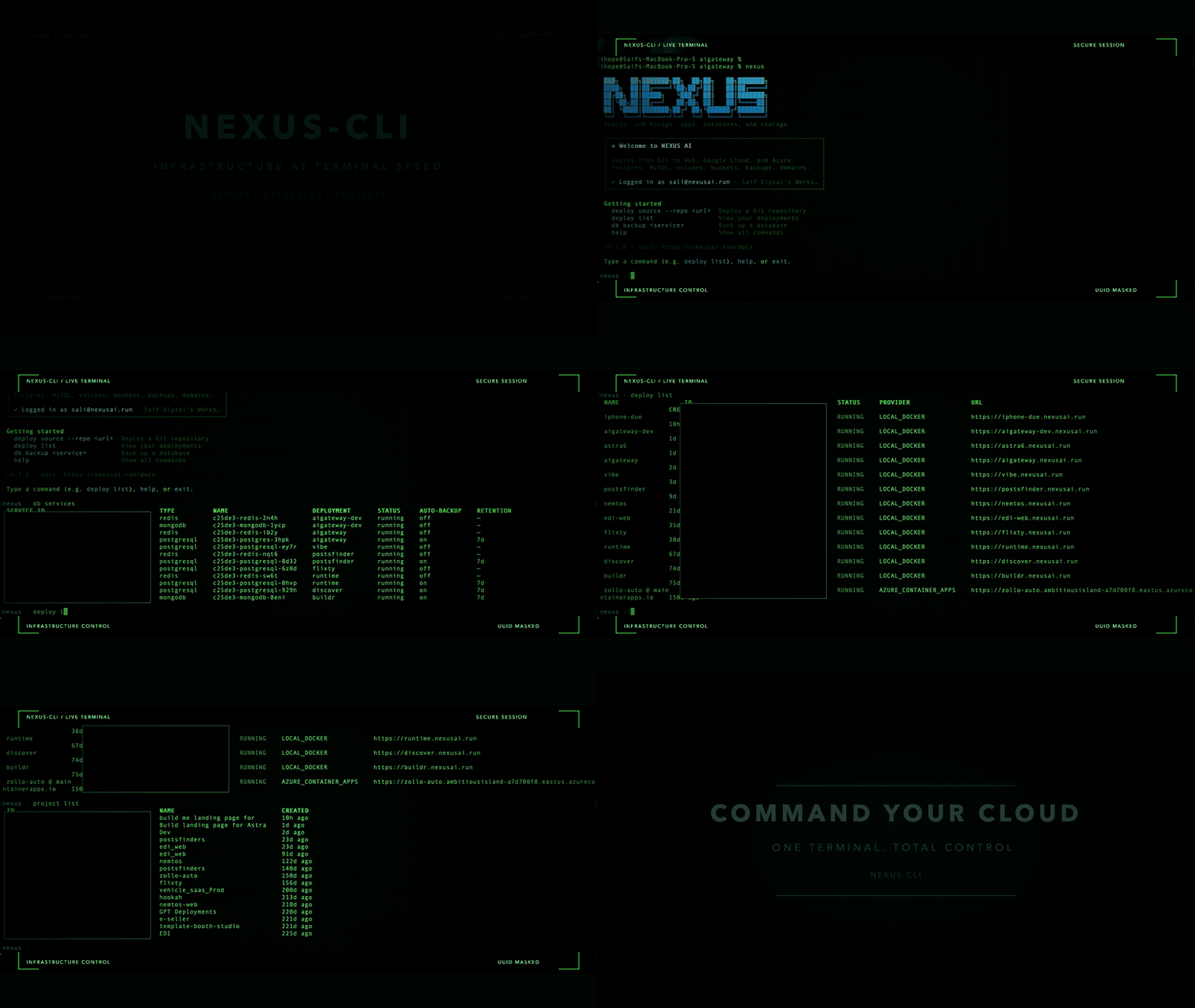
Autoplaying preview. Watch the full-quality video.
npm install -g nexusapp-cli@latest
nexus auth login
nexus deploy source --repo https://github.com/you/app --name my-app --provider gcp_cloud_run
npm install -g nexusapp-cli@latestRequires Node.js 18 or later. Run nexus --help and nexus <command> --help for the exact syntax of the version you have installed. A fuller reference lives in CLI wiki.
Like the browser Builder, the terminal starts with your prompt and creates the project behind the scenes. To start an interactive new build, run nexus builder chat. Or use a one-shot prompt:
nexus builder providers
nexus builder chat
nexus builder new "Build a task tracker with a dashboard"
Inside builder chat, type /help (or help) to see the available actions. /provider and /model show numbered choices and change the AI used for the next message; /status shows your current selections. /new starts another app, and /exit returns to the main nexus prompt when you launched its interactive shell.
To work on local files without leaving the Builder prompt, use /pull ./my-app once, then /run <command> to run a terminal command or editor in that folder, and /push to save the resulting edits to Builder. For example, /run vi package.json edits a pulled file, /run npm test runs against the pulled files, and /run ls -la lists that local folder. When you resume with nexus builder chat --project <id> from inside the local folder, the CLI reuses it without pulling again. From another directory, pass --dir ./my-app. /push --delete confirms intentional file deletions. In builder dev, /run <command> uses the synced folder and syncs changes afterward.
Use the Up and Down arrow keys to revisit commands and chat prompts from the current CLI session. History is kept in memory, not saved to disk.
In builder chat and builder dev, capture a local test or build failure and send it to Builder explicitly:
/run --capture npm test
/fix --last-run
/diff
/rerun
/accept
/run --capture streams stdout and stderr and keeps the final 24,000 characters, the exit status, and the tested source snapshot in memory for this CLI session. Output is only sent to AI when you request /fix --last-run. Plain /run keeps full terminal access for editors such as Vim and does not replace the last captured command. /rerun repeats that captured command and reports whether it passed; requesting a fix never automatically executes it.
With a local checkout attached, prompts and /fix generate a draft from your local files. /fix --last-run also sends the captured command and errors. The proposal is applied locally for review and testing; the shared Builder snapshot and preview sandbox stay unchanged. /diff shows the proposed changes and any earlier local edits that will also be saved on acceptance. /diff --last-fix remains available for reviewing changes since the fix started. If local files changed after the failed run, rerun the command first. If Builder has incoming changes, use /push to merge them and then /rerun. Resolve conflicts before requesting a draft.
/accept saves the current local draft as a shared Builder checkpoint, including your earlier edits. If Builder changed while you were testing, acceptance stops and keeps the draft locally; review /diff, then /reject, /push, and request a new draft against the newer files. /reject reverses the AI proposal while retaining your earlier local edits. Later edits are preserved too; overlapping edits get conflict markers for manual resolution.
Pending drafts are stored in .nexus-builder.draft.json and survive restarting the CLI. While one is pending, /push, standalone sync, and builder dev automatic sync are held until /accept or /reject. A new AI request also waits for that decision. Draft metadata is excluded from uploads. Draft generation uses the usual AI quota; acceptance and rejection do not call AI. This workflow requires the backend's /sessions/:id/drafts/stream endpoint; an older backend is rejected rather than falling back to a shared AI turn.
/status lists local additions, modifications, deletions, incoming Builder changes, unresolved or predicted merge conflicts, and pending drafts. /diff displays changes without changing files. With a local folder attached, /check checks that folder without a backend request, and /fix proposes a draft for syntax errors. Without a local checkout, chat prompts still create shared checkpoints. The standalone nexus builder check and nexus builder fix commands continue to work on the Builder snapshot.
The CLI prints the new project ID. Resume that app and use its shared browser/terminal checkpoints with:
nexus builder chat --project <project-id>
nexus builder check --project <project-id>
nexus builder fix --project <project-id>
nexus builder open --project <project-id>
For local editing, nexus builder dev --project <project-id> --dir ./my-app --open keeps a folder in live two-way sync with the Builder: your saved edits become checkpoints, AI changes from the dev> prompt or the browser appear in the folder, and edits on both sides are merged (lines changed on both sides get git-style conflict markers, which are never uploaded). nexus builder sync --project <project-id> --dir ./my-app does one sync pass. pull creates an explicit local copy; push merges newer Builder changes with local edits and writes conflict markers locally when both sides change the same lines. Resolve those markers and run /push again; conflicting files are never uploaded. nexus builder put <path> --from <local-file> --project <project-id> and nexus builder rm <path> --project <project-id> handle individual files. Use nexus builder versions and nexus builder revert <message-id> for checkpoints.
check performs static syntax and relative-import checks without executing generated code. fix asks the AI to repair reported issues and reruns the check; AI turns may consume your Builder quota. Browser preview remains in the web Builder. Deployment happens only when you run nexus builder deploy --project <project-id> --name my-app --provider docker; it uses the current Builder snapshot and your usual deployment quotas. See the full CLI reference for details.
nexus auth loginOpens a browser window to complete OAuth. The token is saved to ~/.nexusai/config.json and reused automatically.
Set NEXUSAI_TOKEN in the environment. The CLI picks it up automatically without requiring nexus auth login. You can also pass an existing nxk_* token with nexus auth login --token <token>.
export NEXUSAI_TOKEN=your-api-token
nexus deploy listnexus auth whoami # show current user and org
nexus auth logout # log out and revoke the access token| Variable | Description |
|---|---|
NEXUSAI_TOKEN |
API token. Set this in CI/CD instead of running nexus auth login. |
NEXUSAI_API_URL |
Override the API base URL (default: https://nexusai.run). |
nexus deploy list
nexus deploy list --status RUNNING
nexus deploy list --project <project-id>
nexus deploy list --jsonnexus deploy get <name-or-id>
nexus deploy get my-app --jsonnexus deploy create \
--image nginx:latest \
--port 80 \
--name my-nginx \
--provider gcp_cloud_run \
--env KEY=value \
--env-file .env.productionDetects the runtime from your repo automatically. No Dockerfile required.
nexus deploy source \
  --repo https://github.com/you/app \
  --name my-app \
  --provider aws_ecs_fargate

# With options
nexus deploy source \
  --repo https://github.com/you/app \
  --name my-app \
  --provider gcp_cloud_run \
  --branch main \
  --env-file .env.production \
  --env NODE_ENV=production \
  --environment PRODUCTION \
  --wait
Supported providers: aws_ecs_fargate · gcp_cloud_run · azure_container_apps · docker
Useful deploy source options:
| Option | Description |
|---|---|
--project <id> |
Deploy into a specific project (use separate projects for dev, staging, and prod) |
--region <region> |
Cloud region, for example us-central1 |
--framework <framework> |
Framework hint, for example node, python, go |
--build-command, --start-command, --install-command, --output-dir |
Override detected commands |
--dockerfile <path-or-url-or-content> |
Use a repo path, local file, URL, or inline Dockerfile |
--repo-secret <name> |
Secret holding a private-repo token |
--services postgres,redis |
Provision services. Sidecars on docker, managed databases on cloud providers |
--create-db <engine> / --db-version / --db-region |
Provision a managed cloud database (postgres or mysql) |
--managed-db <id> |
Attach an existing standalone database and inject its connection env |
--worker-command <cmd> / --worker-name <name> |
Run a background worker sidecar |
--auto-destroy <hours> |
Tear the deployment down after N hours |
--no-health-check |
Disable health checks |
Rebuilds from the current source and rolls out a new version.
nexus deploy redeploy my-app
nexus deploy redeploy my-app --yes          # skip confirmation
nexus deploy redeploy my-app --env-file .env --waitReverts to the previous container image.
nexus deploy rollback my-app
nexus deploy rollback <deployment-id> --yesnexus deploy stop my-app
nexus deploy start my-appnexus deploy delete my-app
nexus deploy delete my-app --yesnexus deploy status my-app
nexus deploy status my-app --watch # refresh every 3s
nexus deploy status my-app --jsonnexus deploy logs my-app
nexus deploy logs my-app --follow # tail in real time
nexus deploy logs my-app --lines 200
nexus deploy logs my-app --jsonnexus deploy scale my-app 3Set, extend, or disable a deployment's expiry without restarting it.
nexus deploy auto-destroy my-app --in 4h
nexus deploy auto-destroy my-app --at 2026-10-01T00:00:00Z
nexus deploy auto-destroy my-app --offFor deployments running on NEXUS AI managed infrastructure (docker). Both take the deployment ID from nexus deploy list, not the name.
nexus exec <deployment-id> ls -la /app
nexus exec <deployment-id> --timeout 300 --workdir /app npm run migrate
nexus cp ./index.html <deployment-id>:/app/public/index.html    # upload
nexus cp <deployment-id>:/app/config.json ./config.json # downloadDeploys an OpenClaw Claude Code-compatible AI coding gateway. The gateway token is auto-generated if not provided.
nexus deploy openclaw

# With options
nexus deploy openclaw \
  --name my-openclaw \
  --provider gcp_cloud_run \
  --claude-api-key <key> \
--wait| Option | Description |
|---|---|
--name |
Deployment name (default: openclaw-gateway) |
--gateway-token |
Auth token (auto-generated if omitted) |
--claude-api-key |
CLAUDE_AI_SESSION_KEY value |
--claude-web-session |
CLAUDE_WEB_SESSION_KEY value |
--claude-web-cookie |
CLAUDE_WEB_COOKIE value |
--provider |
Cloud provider |
--env-file |
Load additional env vars from a .env file |
Deploys Flixty, a self-hosted social media creator studio for X, LinkedIn, Facebook, Instagram, TikTok, and YouTube. Session secret is auto-generated.
nexus deploy flixty

# With platform credentials
nexus deploy flixty \
  --name my-flixty \
  --provider gcp_cloud_run \
  --base-url https://flixty.example.com \
  --anthropic-api-key <key> \
  --env-file .env.flixty \
--wait| Option | Description |
|---|---|
--name |
Deployment name (default: flixty) |
--session-secret |
Express session secret (auto-generated if omitted) |
--base-url |
Public URL, required for OAuth redirect URIs. Set after first deploy if not known yet. |
--anthropic-api-key |
Enables AI Assist via Claude |
--x-client-id / --x-client-secret |
X/Twitter OAuth |
--linkedin-client-id / --linkedin-client-secret |
LinkedIn OAuth |
--fb-app-id / --fb-app-secret |
Facebook + Instagram |
--tiktok-client-key / --tiktok-client-secret |
TikTok |
--google-client-id / --google-client-secret |
YouTube + Google Sign-In |
--provider |
Cloud provider |
--env-file |
Load env vars from a .env file |
Secrets are encrypted at rest (AES-256-GCM) and injected as environment variables at container start.
# List secrets
nexus secret list
nexus secret list --environment PRODUCTION

# Create a secret
nexus secret create --name DATABASE_URL --environment PRODUCTION
# (prompts for value securely)

nexus secret create --name API_KEY --environment PRODUCTION --value sk-...

# Update a secret
nexus secret update <id>
nexus secret update <id> --value new-value

# Delete a secret
nexus secret delete <id>
nexus secret delete <id> --yes# List custom domains for a deployment (shows domain IDs)
nexus domain list my-app
# Add a custom domain
nexus domain add my-app app.example.com
# Check verification status (takes the domain ID from `domain list`)
nexus domain verify my-app <domain-id>
# Remove a domain
nexus domain remove my-app <domain-id> --yesAfter adding a domain, point a CNAME record at the deployment URL shown in nexus deploy status, then run nexus domain verify to confirm. Custom domains are available on Starter and above.
nexus project list
nexus project create --name my-project
nexus project delete <id>Standalone databases that live independently of any app. Run PostgreSQL or Redis on NEXUS AI with --local, or PostgreSQL and MySQL on AWS RDS, Google Cloud SQL, or Azure Database. Available on paid plans.
nexus managed-db list

# Local database on NEXUS AI
nexus managed-db create shop --local --engine postgres --db-name shop_db --username shop_user
nexus managed-db create cache --local --engine redis

# Cloud database
nexus managed-db create prod-db --provider GCP_CLOUD_SQL --engine postgres --engine-version 17

# Keep a password out of shell history
echo "$DB_PASSWORD" | nexus managed-db create shop --local --engine postgres --password-stdin

# Credentials
nexus managed-db connection shop
nexus managed-db connection shop --url-only

# Attach to an app (injects DATABASE_URL and friends on the next deploy)
nexus managed-db attach shop --deployment my-app
nexus deploy redeploy my-app --wait
nexus managed-db detach shop --deployment my-app

# Snapshots
nexus managed-db snapshot shop --notes "before migration"
nexus managed-db snapshots shop
nexus managed-db restore shop --snapshot <snapshot-id> --new-name shop-restored

# Delete (destroys data)
nexus managed-db delete shopnexus managed-db query shop "SELECT id, email FROM users LIMIT 10"
nexus managed-db query shop "CREATE TABLE notes (id serial PRIMARY KEY, body text NOT NULL)"
nexus managed-db query shop "INSERT INTO notes (body) VALUES ('hello')"
nexus managed-db query shop "SELECT * FROM users LIMIT 5" --json | jq '.rows[].email'
nexus managed-db query shop "$(cat migration.sql)"- Always wrap the SQL in quotes, otherwise the shell splits it into separate arguments.
- PostgreSQL and MySQL only. One statement per call.
- Allowed:
SELECT,EXPLAIN,INSERT,UPDATE,DELETE(with aWHEREclause), table, index, view, function, procedure, and trigger DDL, andTRUNCATE. - Blocked:
CREATE DATABASE,DROP DATABASE,GRANT,REVOKE,CREATE ROLE, andCREATE EXTENSION. They fail withQuery blocked: Statement type not permitted. For unrestricted access, usenexus managed-db connectionand connect withpsqlormysql. - Reads need
managed_databases.read. Writes and DDL needmanaged_databases.manage.
Backups for database services that run inside a deployment (for example --services postgres). Find service IDs with nexus db services.
nexus db services [deployment]
nexus db backup <service-id>
nexus db backups <service-id>
nexus db restore <service-id> <backup-id> --yes
nexus db restore-to <target-service-id> <backup-id>     # into a different service, same engine
nexus db backup-download <service-id> <backup-id> --out ./backup.dump
nexus db backup-download <service-id> <backup-id> --share --ttl 600   # signed URL (30 to 3600 seconds)
nexus db backup-upload <service-id> ./backup.dump
nexus db backup-delete <service-id> <backup-id> --yes

# Daily automatic backups, kept 7 days by default (cannot go lower)
nexus db backup-schedule <service-id> --enable --retention 14
nexus db backup-schedule <service-id> --disableS3-compatible buckets with a scoped service account per bucket.
nexus bucket create user-uploads
nexus bucket list
nexus bucket attach <bucket-id> <deployment-id>   # injects S3_* env vars on next deploy
nexus bucket detach <bucket-id> <deployment-id>
nexus bucket credentials <bucket-id>              # reveal credentials (audit-logged)
nexus bucket rotate-credentials <bucket-id> --yes

nexus bucket files <bucket-id> --prefix images/
nexus bucket upload <bucket-id> ./logo.png --key images/logo.png
nexus bucket download <bucket-id> images/logo.png --out ./logo.png
nexus bucket download <bucket-id> images/logo.png --share --ttl 300   # signed URL
nexus bucket rm <bucket-id> images/logo.png --yes
nexus bucket refresh-usage <bucket-id>
nexus bucket delete <bucket-id> --yes             # must be detached, deletes all objects
Redeploy after attaching so the app receives S3_ENDPOINT, S3_BUCKET, S3_ACCESS_KEY, and S3_SECRET_KEY.
Persistent volumes that survive restarts, redeploys, and host reboots.
nexus volume create app-data
nexus volume list
nexus volume attach <volume-id> <deployment-id> --mount /data   # redeploy to take effect
nexus volume detach <volume-id>
nexus volume refresh-usage <volume-id>
nexus volume delete <volume-id> --yes                           # must be detached
nexus member list
nexus member invite dev@example.com --role MEMBER
nexus member role <user-id> AUDITOR
nexus member suspend <user-id> --yes
nexus member activate <user-id>Roles: ADMIN, MEMBER, DEPLOYMENT_MANAGER, AUDITOR, BILLING_MANAGER.
Scoped access tokens for CI and automation.
nexus token list
nexus token list --show-last-used --unused-since 30
nexus token create --name ci-deploy --scopes deployments:read,deployments:create --expires 90d
nexus token revoke <id> --yes
The token value is shown once, at creation. Use it as NEXUSAI_TOKEN.
All deploy commands accept --env-file <path> to load variables from a .env-style file.
nexus deploy source --repo https://github.com/you/app --env-file .env.production
nexus deploy redeploy my-app --env-file .env.production
nexus deploy flixty --env-file .env.flixty
File format:
# Comments are ignored
DATABASE_URL=postgres://user:pass@host/db
NODE_ENV=production
API_KEY="value with spaces"
SECRET='another value'
Merge order (later wins): --env-file → --env. Inline --env pairs always override file values. For redeploy, existing deployment env vars are the base.
name: Deploy

on:
  push:
    branches: [main]

jobs:
  test:
    runs-on: ubuntu-latest
    steps:
      - uses: actions/checkout@v4
      - uses: actions/setup-node@v4
        with:
          node-version: '20'
          cache: 'npm'
      - run: npm ci
      - run: npm test

  deploy:
    needs: test
    runs-on: ubuntu-latest
    steps:
      - name: Install NEXUS AI CLI
        run: npm install -g nexusapp-cli@latest

      - name: Deploy
        run: nexus deploy redeploy ${{ secrets.NEXUSAI_DEPLOYMENT_ID }} --yes
        env:
          NEXUSAI_TOKEN: ${{ secrets.NEXUSAI_TOKEN }}
Add NEXUSAI_TOKEN and NEXUSAI_DEPLOYMENT_ID as repository secrets in GitHub → Settings → Secrets.
Get your deployment ID from:
nexus deploy list --json | grep '"id"'
# or
nexus deploy status my-app --json | grep '"id"'These flags work on any command:
| Flag | Description |
|---|---|
--json |
Output raw JSON instead of formatted tables |
--yes |
Skip confirmation prompts |
--wait |
Block until the deployment reaches a terminal state (RUNNING, FAILED, or STOPPED) |
--watch |
Refresh status output every 3 seconds |
npm install -g nexusapp-cli@latest
nexus auth login
nexus deploy source \
  --repo https://github.com/you/app \
  --name my-app \
  --provider gcp_cloud_run \
  --env-file .env.production \
--waitnexus secret create --name DATABASE_URL --environment PRODUCTION
nexus secret create --name STRIPE_KEY --environment PRODUCTION
nexus deploy redeploy my-app --yesnexus deploy rollback my-app --yes
nexus deploy status my-app --watchnexus managed-db create shop --local --engine postgres
nexus bucket create user-uploads
nexus deploy source --repo https://github.com/you/app --name my-app --provider docker --wait
nexus managed-db attach shop --deployment my-app
nexus bucket attach <bucket-id> <deployment-id>
nexus deploy redeploy my-app --wait
nexus managed-db query shop "SELECT 1"nexus domain add my-app app.example.com
# Point a CNAME at the deployment URL shown
nexus domain list my-app # find the domain ID
nexus domain verify my-app <domain-id>- Dashboard: nexusai.run
- Docs: nexusai.run/docs
- Full CLI reference: CLI wiki
- Support: support@nexusai.run