
Keep your voice. Drop their song.
You film a great video in a restaurant. The food looks perfect and your take is perfect. But the speakers behind you are playing a hit song. When you upload the video, YouTube Content ID can find that song. Then the video can get a copyright claim: it can be muted, blocked, or its ad income can go to the record label.
keepvoice fixes this with one command. It removes the background music and keeps what you said. It also removes songs with singers, which a normal "vocal remover" leaves in. After that, add a track from the YouTube Audio Library, or any music you have a licence for, and publish.
keepvoice restaurant-vlog.mp4Made for:
- food and travel vloggers
- restaurant, cafe and bar reviews
- street interviews and shop tours
- gym, wedding and event videos
- any video where music that is not yours plays in the background
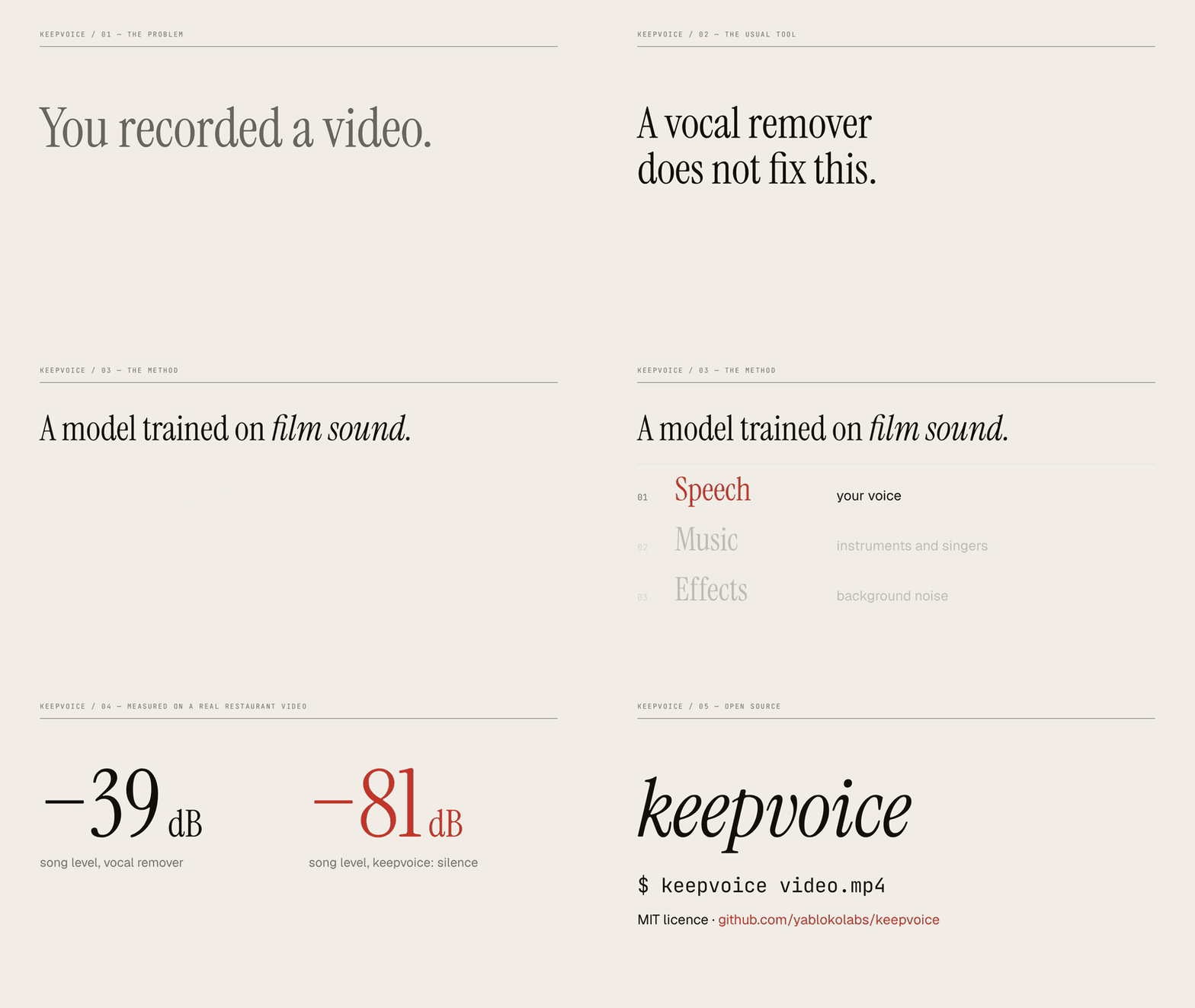
The preview has no sound. Open the demo video with narration (38 seconds).
You need Python 3.10 or later, ffmpeg and approximately 2 GB of disk space for PyTorch.
uv tool install keepvoiceor
pip install keepvoiceThe first run downloads the model checkpoints (160 MB) to ~/.cache/keepvoice.
keepvoice video.mp4This writes video_voice_only.mp4 next to the input. The input file is not changed.
| Option | Function |
|---|---|
-o PATH |
Set the output path. |
--mute START-END |
Make a time range fully silent. Use it for sections where you do not speak, for example an intro with music: --mute 0-17 --mute 3:07-3:13.4. You can give it more than one time. |
--fast |
Use 1 model checkpoint instead of 3. Processing is approximately 3 times faster and the separation is less clean. |
Times are seconds (17, 193.4) or clock times (3:07, 1:02:03.5).
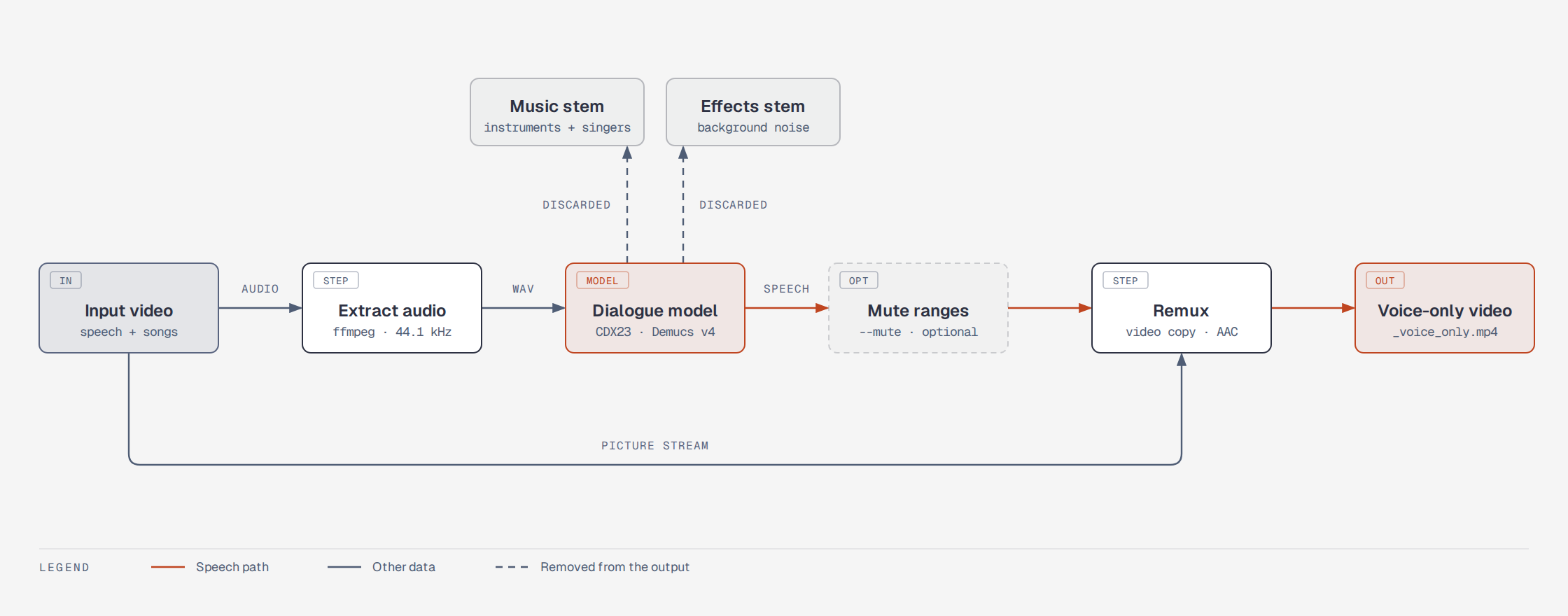
- ffmpeg extracts the audio as 44.1 kHz stereo.
- A dialogue model splits the audio into three stems: speech, music and effects.
- Only the speech stem is kept. Time ranges given with
--muteare made silent. - ffmpeg joins the speech with the picture. The picture stream is copied, not encoded again, so there is no quality loss.
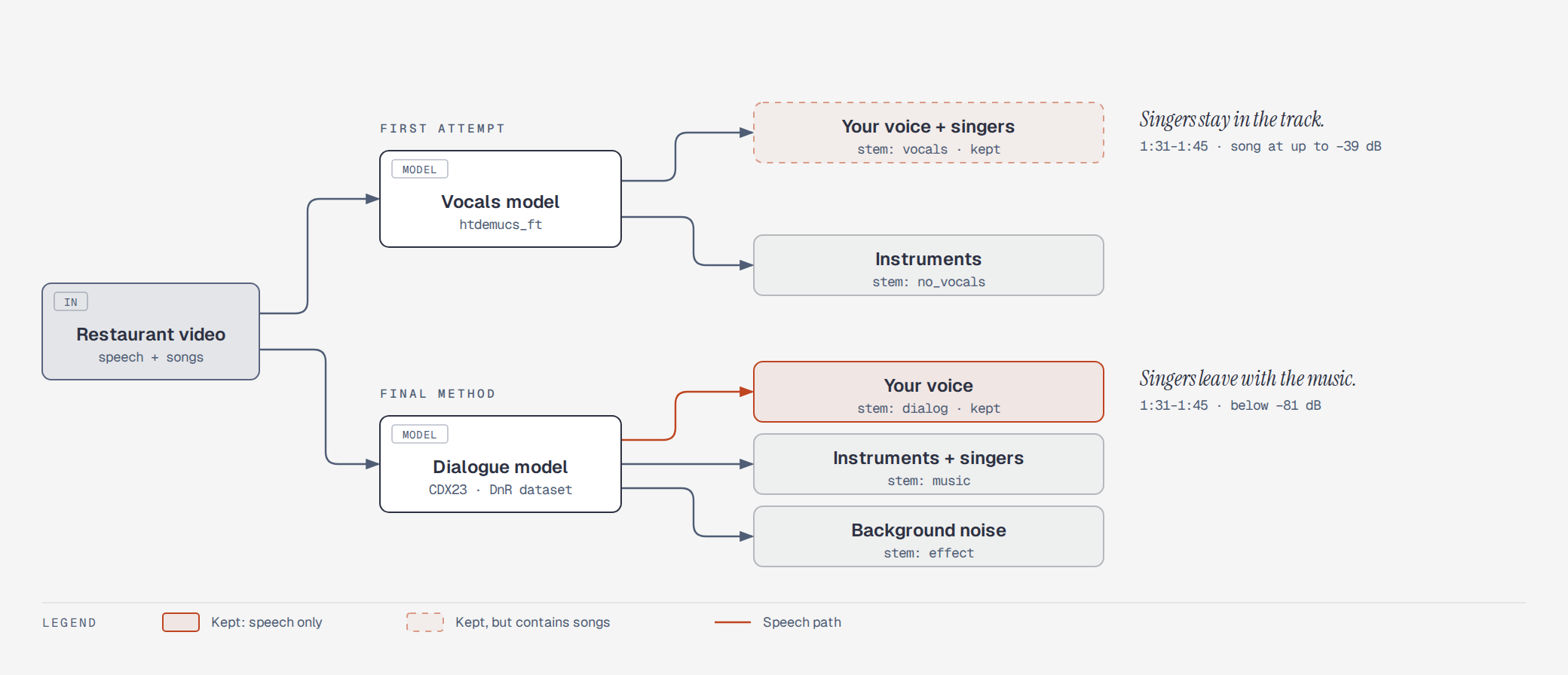
Most "remove the music" tools use a model that was trained on songs. It splits a song into vocals and instruments, so it keeps all human voice. If the background music has a singer, the singer stays in the result with your voice.
keepvoice uses a model that was trained on film sound, where the task is to separate dialogue from the music score and from sound effects. For that model, a singer is part of the music.
More detail is in docs/how-it-works.md.
Test input: a phone video of 3 minutes 25 seconds, recorded in a restaurant that played songs with singing. The table shows the level of the sound that stays in the output, in sections where nobody speaks.
| Section | Vocals model (htdemucs_ft) | keepvoice |
|---|---|---|
| 1:31 to 1:45, song with singing | up to −39 dB (singing can be heard) | below −81 dB (silence) |
| 1:02 to 1:24, loudest music | below −63 dB | below −82 dB |
| Picture stream | not applicable | identical checksum to the input |
Processing took approximately 20 minutes on 4 CPU cores with no GPU. With a CUDA GPU, PyTorch uses it automatically.
- Where you speak at the same time as a song, a faint trace of the song can stay below your voice.
- Background sound (room noise, traffic) is removed together with the music. The pauses between sentences are fully silent.
- The speech level is not changed. Set the level when you add your new music.
- The model works at 44.1 kHz stereo. Surround audio is mixed down to stereo.
- A model can make mistakes. Listen to the full result before you publish it. keepvoice does not guarantee that a platform will not detect the music.
- The checkpoints are PyTorch pickle files from a third-party release. Loading a pickle file can run code, so the files are downloaded only from the URL in
keepvoice/separate.py.
git clone https://github.com/yablokolabs/keepvoice && cd keepvoice
uv venv && uv pip install -e . pytest ruff
.venv/bin/pytest            # fast tests: real ffmpeg, no model
.venv/bin/pytest -m slow    # runs the real model (downloads checkpoints)
.venv/bin/ruff check . && .venv/bin/ruff format --check .
The fast tests make a small video with ffmpeg, run the pipeline, and measure the output: the picture checksum, the length and the audio level in each time range.
The diagrams and the demo video have their own instructions in demo-video/README.md.
- Separation model: MVSEP-CDX23-Cinematic-Sound-Demixing by ZFTurbo (MIT). The checkpoints are Demucs v4 models trained on the Divide and Remaster dataset.
- Demucs by Meta Research (MIT).
- Diagrams: diagram-design by Cathryn Lavery (MIT).
- Demo video: videowright by Steve Cosman (MIT). Voice-over generated with ElevenLabs.