CodeCanvas 把代码转换为同一份中间表示,并同步呈现 Blockly 逻辑画布与 n8n 执行画布,两张画布共享稳定标识与源码位置映射。设备适配、硬件通信和具体机器人产品位于插件或硬件交付边界内实现。以下为 n8n 运行引擎的原始 README。
- GitHub:
zhaoyilun/code-canvas - Git 远程地址:
https://github.com/zhaoyilun/code-canvas.git - 运行引擎上游:
n8n-io/n8n - 运行手册:双画布运行手册
- 可导入示例:复合双画布工作流
git clone https://github.com/zhaoyilun/code-canvas.git| 层级 | 作用 | 入口 |
|---|---|---|
| 双画布核心 | 定义版本化 IR、能力目录、执行计划、映射、诊断和 Plugin SDK;核心保持领域无关 | packages/@n8n/dual-canvas-core/ |
| TypeScript 导入器 | 将受支持的 JavaScript、TypeScript、ArkTS 子集转换为 IR、Blockly 工作区和 n8n 工作流片段 | packages/@n8n/dual-canvas-typescript-importer/ |
| Blockly Data Transform | 用 Blockly 编辑逐项数据变换;运行时从工作区重新编译,代码预览只用于解释 | custom-nodes/n8n-nodes-blockly-code/、packages/@n8n/blockly-data-transform/ |
| 通用能力计划编辑器 | 按能力目录组织可视化计划,不在宿主中固化某个设备领域 | packages/@n8n/blockly-capability-plan/ |
RoboFrame 适配已拆到独立仓库 n8n-dual-canvas-roboframe-plugin。该插件负责把通用能力目录和执行计划映射到 RoboFrame 节点;设备 bridge、部署文件与设备验证证据由硬件交付边界持有。本仓库不包含这些实现,也不据此声明设备运行结果。
通用数据流为:源代码 → TypeScript 导入器 → VisualProgramIR → Blockly 逻辑画布 + n8n 工作流画布。两张画布共享稳定标识和源代码位置映射,领域插件只接入公开契约。

Fair-code platform to build and deploy AI agents and workflows. Combine a visual canvas with custom code, run it self-hosted or in the cloud, and connect to 1500+ integrations. AI automation you can trust with real work, from prototype to production.
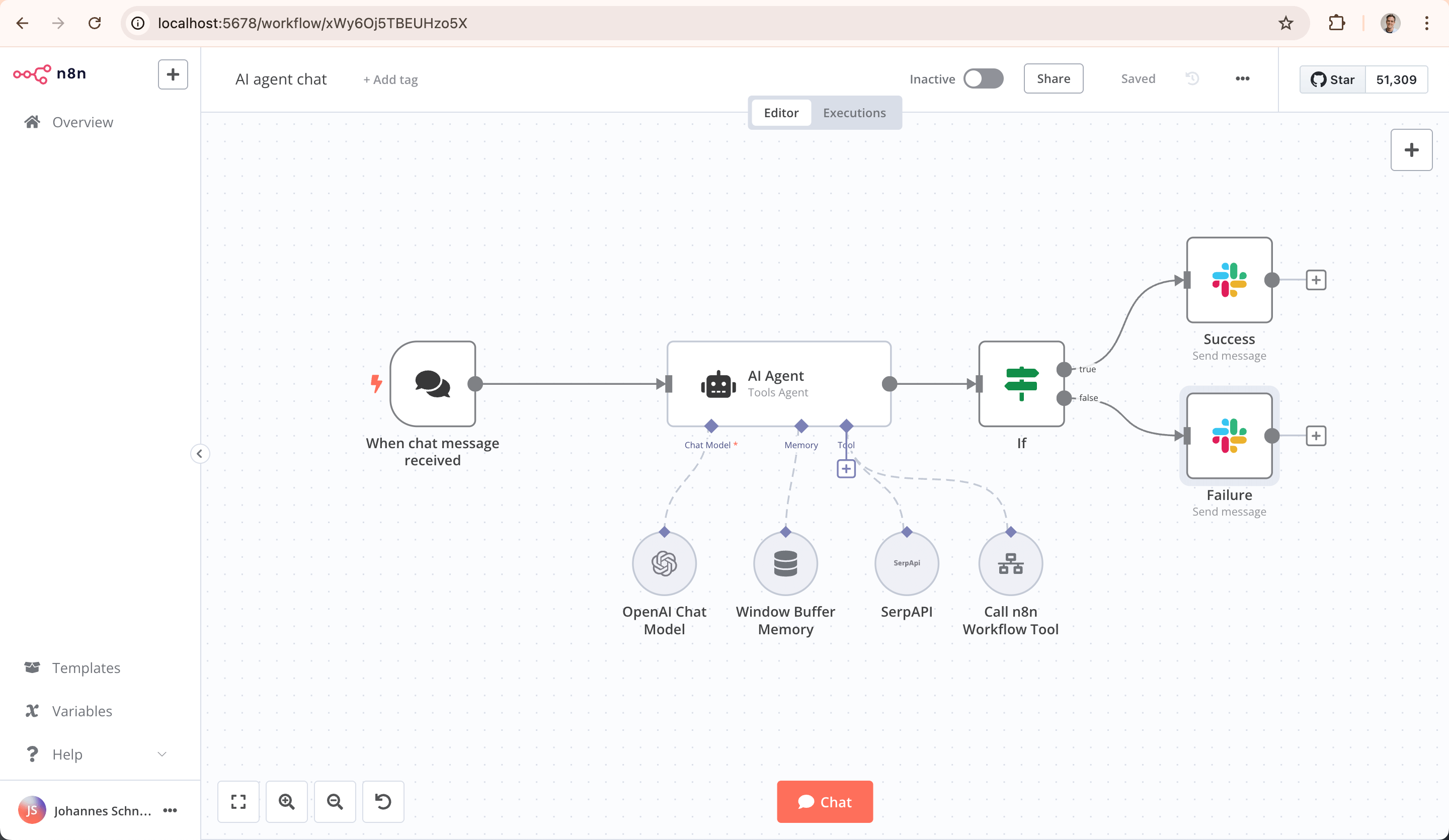
- AI-Native Automation Platform: Build and operationalize AI workflows and multi-step agents using your own data, models, and tools
- Model Flexibility, No Lock-In: Connect to OpenAI, Anthropic, Google, or open-source models and switch providers without changing your architecture
- From Prototype to Production: Design multi-step AI workflows with logic, tool use, human approvals, and full observability
- Code When You Need It: Combine visual building with JavaScript, Python, and npm packages for advanced AI workflows
- Enterprise-Ready AI: Self-host or deploy securely with role-based access, audit trails, and support for sensitive data
- Leverage What Already Exists: 1500+ integrations and 9,000+ workflow templates to connect AI with your existing systems
Try n8n instantly with npx (requires Node.js):
npx n8n
Or deploy with Docker:
docker volume create n8n_data
docker run -it --rm --name n8n -p 5678:5678 -v n8n_data:/home/node/.n8n docker.n8n.io/n8nio/n8n
Access the editor at http://localhost:5678
- 📚 Documentation
- 🔧 1500+ Integrations
- 💡 Example Workflows
- 🤖 AI & LangChain Guide
- 👥 Community Forum
- 📖 Community Tutorials
Need help? Our community forum is the place to get support and connect with other users: community.n8n.io
n8n is fair-code distributed under the Sustainable Use License and n8n Enterprise License.
- Source Available: Always visible source code
- Self-Hostable: Deploy anywhere
- Extensible: Add your own nodes and functionality
Enterprise Licenses available for additional features and support.
Additional information about the license model can be found in the docs.
Found a bug 🐛 or have a feature idea ✨? Check our Contributing Guide for a setup guide & best practices.
Want to shape the future of automation? Check out our job posts and join our team!
Short answer: It means "nodemation" and is pronounced as n-eight-n.
Long answer: "I get that question quite often (more often than I expected) so I decided it is probably best to answer it here. While looking for a good name for the project with a free domain I realized very quickly that all the good ones I could think of were already taken. So, in the end, I chose nodemation. 'node-' in the sense that it uses a Node-View and that it uses Node.js and '-mation' for 'automation' which is what the project is supposed to help with. However, I did not like how long the name was and I could not imagine writing something that long every time in the CLI. That is when I then ended up on 'n8n'." - Jan Oberhauser, Founder and CEO, n8n.io